Who is this switch best for?
- Office LAN expansion
- CCTV and IP camera networks
- WiFi access point connectivity
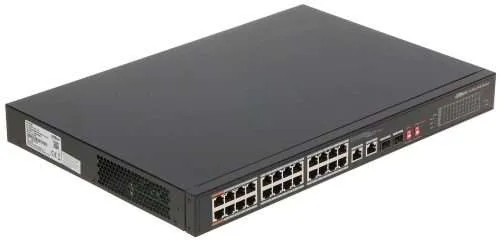
Works with standard Ethernet networking equipment including routers, computers, IP cameras, access points and servers. Confirm port, PoE and mounting requirements before purchase.
Check the product label or manufacturer datasheet for exact input voltage, power adapter and PoE requirements.
The Dahua DH-CS4226-24ET-240 is a cloud-managed PoE network switch built for IP surveillance and business networking. It combines 24 × 10/100Mbps PoE ports, two Gigabit combo uplinks and a shared 240W PoE power budget, allowing compatible cameras and other devices to receive power and data through one Ethernet cable.
It is a practical choice for CCTV installations in offices, shops, warehouses, schools and hotels. Local web management and Dahua DoLynk Care provide monitoring options, while copper and fibre uplinks offer flexibility when connecting the switch to the wider network.
The 24 PoE access ports are Fast Ethernet, not Gigabit. Gigabit connectivity is provided by the two combo uplinks. www.dahuasecurity.com
View the Dahua DH-CS4226-24ET listing on ReisenSEO and confirm that the quotation covers the complete DH-CS4226-24ET-240 model.
Request a current quotation for the exact model and hardware revision. Confirm the applicable VAT, warranty, availability and delivery charges before ordering.
When budgeting for an installation, include any required Ethernet cables, fibre modules, patch leads, rack accessories and backup power. These accessories may be sold separately.
You can also enquire through the Dahua switch listing at Orbitlink Solutions, specifying DH-CS4226-24ET-240 to avoid confusion with other Dahua PoE switches.
The switch supplies network connectivity and power through its 24 PoE access ports. This simplifies cabling by reducing the need for a separate power adapter near each compatible device.
For CCTV installations, cameras connect to the PoE ports, while an uplink connects the camera network to an NVR or another part of the LAN. Compatibility depends on each device’s Ethernet and PoE requirements.
The 240W budget is shared across all powered devices. Dahua’s original specifications list:
Individual port ratings do not override the total power limit. www.dahuasecurity.com
For example, 20 cameras with a maximum specified consumption of 8W each represent a calculated load of 160W. This leaves 80W within the stated budget.
Always calculate using maximum device consumption, including infrared illumination, heaters or other functions that increase demand.
Two Gigabit combo ports provide a choice between RJ45 copper connections and 1Gbps SFP fibre connections.
Each combo pair shares one logical port: its RJ45 and SFP sockets are alternative connection options. They do not function as separate, independent uplinks. www.dahuasecurity.com
Copper connections suit nearby equipment. Fibre connections can be useful between network locations when compatible modules and matching fibre components are selected.
The switch supports web management and management through Dahua DoLynk Care. Its monitoring features include network topology visualisation, device status information and fault notifications.
These functions help installers identify connection problems and monitor supported equipment remotely. Cloud management requires working internet connectivity and correct account configuration. material.dahuasecurity.com
PoE Watchdog can detect certain camera connection failures and restart the affected PoE port to help restore communication.
This can reduce manual power cycling, particularly where equipment is difficult to access. Repeated disconnections still require checks of the camera, cable, connector and power demand. material.dahuasecurity.com
Dahua documents extended transmission of up to 250 metres, with the link speed reduced to 10Mbps. Actual distance depends on device power consumption and cable quality and condition. material.dahuasecurity.com
This feature may help with selected remote camera connections, but the reduced bandwidth must accommodate the camera’s traffic. It is not a guarantee that every device will operate reliably over a 250-metre cable.
Dahua publishes original and V2 versions of this model. Confirm the supplied revision before relying on physical dimensions, power-consumption figures or the location of hardware controls. www.dahuasecurity.com
Compatible IP cameras connect to the PoE access ports. The switch powers the cameras and carries their network traffic to the recording system through an uplink.
The switch does not record footage. Recording requires an NVR or another suitable recording platform.
The switch can connect compatible PoE phones and wireless access points. However, its 100Mbps access ports may limit equipment designed for higher network throughput.
Before purchasing, compare the device’s power requirements and Ethernet speed with the selected switch port.
A router handles functions such as internet access, routing and firewall policies. The Dahua switch expands the network’s wired connections and provides PoE power.
For a separate routing device, explore the MikroTik RB760iGS hEX S router. Router selection should reflect the required traffic load, configuration and network services.
For alternative models, browse network switches at Tawa. If considering a different management platform, review the UniFi Standard 24 and compare its exact port and power specifications rather than assuming it is an equivalent PoE replacement.
Prepare a list of connected devices and record each device’s:
Add the maximum power requirements together and leave useful headroom below the 240W budget. Identify any device that needs a designated high-power port.
Place the switch on a stable surface or install it in a suitable rack using the correct accessories.
Keep ventilation clear, protect it from moisture and follow the supplied grounding instructions. A properly sized UPS can help maintain operation during short power interruptions.
Connect one Gigabit uplink to the router, NVR network or upstream switch.
For copper, use a suitable Ethernet cable. For fibre, use compatible 1Gbps SFP modules and matching fibre connections.
Start with a single uplink. Additional connections should follow a planned configuration to prevent network loops.
Connect compatible powered devices to ports 1–24. Check the selected port’s power capability before connecting a high-power device.
Inspect link and PoE indicators, then confirm that each device starts and establishes a stable connection.
Check the router’s DHCP client list or use Dahua’s supported discovery utility to locate the switch.
Dahua’s cloud-managed switch guide documents 192.168.1.110 as the default address when DHCP is unavailable. Confirm the address in the manual supplied with your hardware revision. material.dahuasecurity.com
For an isolated setup using that address:
192.168.1.10, with subnet mask 255.255.255.0.192.168.1.110 in a browser.Initialize multiple new switches separately if they share the same default address.
Assign a recognisable device name and check port status and PoE consumption.
Configure supported VLAN or isolation settings only after identifying which devices must communicate. Confirm that cameras can reach the NVR and that administrators retain management access.
Enable PoE Watchdog where appropriate. Use extended mode only on ports that need it and can operate within the reduced bandwidth.
If remote monitoring is required, provide the switch with suitable network settings and internet access. Follow the revision-specific Dahua instructions to add it to an authorised DoLynk Care account.
Check that the device appears online and that monitoring information is available.
Verify live views and recording, not just network indicators. Test cameras with infrared illumination enabled where applicable, because night-time operation may increase power consumption.
Save the configuration and document port assignments, management addresses and cable labels.
Confirm the supplier’s packing list before ordering, including the power lead and rack-mounting hardware.
Ethernet cables, SFP modules, fibre patch leads and backup power should be confirmed separately. Do not assume these accessories are included.
Yes, potentially, provided every camera is compatible and their combined maximum power requirement stays within the 240W budget.
No. The 24 PoE access ports operate at 10/100Mbps. The two combo uplinks support Gigabit connections.
Check each camera’s Ethernet and PoE requirements. Standards-compatible devices may work, while manufacturer-specific monitoring functions can differ.
Do not assume compatibility. Equipment requiring 24V passive PoE may need its own injector or an approved converter.
Local network switching does not depend on cloud access. Internet connectivity is required for remote cloud monitoring.
No. Extended mode reduces speed to 10Mbps, and actual results depend on the cable and connected device.
Choose the Dahua DH-CS4226-24ET-240 when your installation needs multiple compatible PoE connections, Gigabit uplinks and management tools for surveillance networking.
Check the ReisenSEO Dahua product listing or enquire through Orbitlink Solutions’ Dahua switch page for the exact model, revision and current quotation.
Dahua DH CS4226-24ET-240 24-Port Gigabit PoE Switch Price in Kenya is currently listed as available. Stock can change, so confirm availability before placing a large order.
The current listed price is KSh 20,000.00. Prices are generated from the product catalogue and may change when inventory is updated.
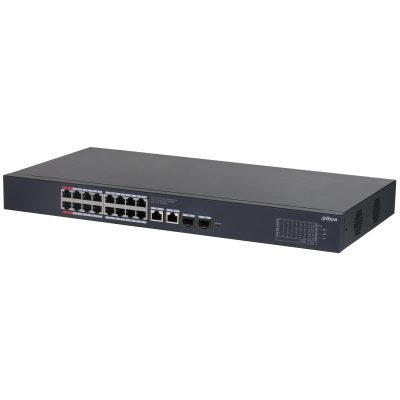
Dahua
16-Port | Gigabit | PoE+ | Unmanaged
In Stock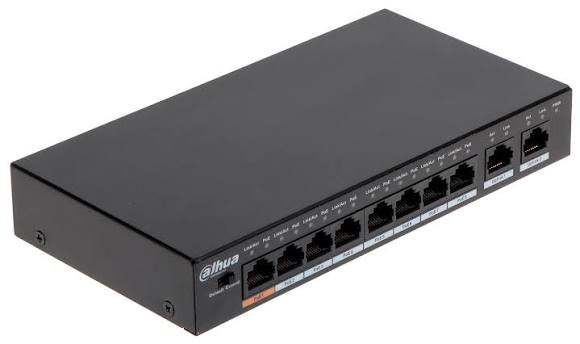
Dahua
10-Port | Gigabit | PoE+ | Unmanaged
In Stock