Who is this switch best for?
- Office LAN expansion
- CCTV and IP camera networks
- WiFi access point connectivity
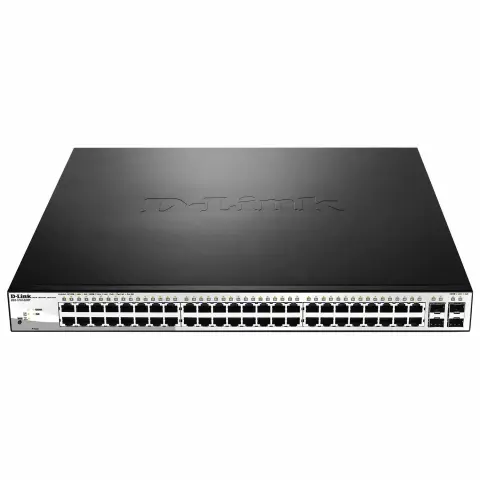
Works with standard Ethernet networking equipment including routers, computers, IP cameras, access points and servers. Confirm port, PoE and mounting requirements before purchase.
Check the product label or manufacturer datasheet for exact input voltage, power adapter and PoE requirements.
The D-Link DGS-1210-52MP is a Gigabit Smart Managed PoE+ switch designed for offices, schools, hotels and CCTV installations that need numerous wired connections and centralized power management.
It provides 48 Gigabit PoE+ access ports and four additional Gigabit copper/SFP combo interfaces. Each combo interface supports one active connection at a time, giving up to 52 simultaneous network connections. D-Link
Its 370W shared PoE budget supplies compatible cameras, access points and IP phones. Plan the installation around the combined maximum power requirements of those devices rather than assuming every powered port can deliver its individual maximum simultaneously.
Contact Network Switch Kenya for a quotation covering the switch and the accessories required for your project.
Confirm:
Browse networking equipment at Network Switch Kenya when preparing your installation.
You can also explore D-Link equipment at Tawa to compare models. Verify each model’s specifications and supplied revision independently.
The switch consolidates connections for computers, printers, cameras, phones and wireless infrastructure. This can simplify patching and maintenance compared with several smaller switches.
Actual performance depends on endpoints, cabling, configuration and uplink capacity.
Centralized PoE+ PowerPoE carries data and compatible-device power through one cable, reducing the need for an electrical socket beside each camera or access point.
The switch supports IEEE 802.3af/at equipment. Devices requiring PoE++ or passive PoE need a separately verified power arrangement.
Flexible Copper and Fibre UplinksThe combo interfaces let selected connections use RJ45 or suitable SFP equipment.
Their paired connectors share an interface. They are not independent ports, and the optical connections are Gigabit rather than 10Gbps SFP+.
Managed Traffic and Power ControlsAdministration tools help organize the network and inspect device connections. D-Link also documents PoE scheduling and control, which can support planned maintenance or device restarts.
Configuration should reflect operational requirements: switching off camera power, for example, interrupts recording. D-Link
Watch the supplied D-Link DGS-1210-52MP product video on YouTube
Core specifications follow D-Link’s documentation. Hardware revisions can differ, so confirm dimensions, cooling details and supported management features for the supplied unit. dlink.com
The available power is shared across all powered devices.
Illustrative loadCombined demandPlanning result30 devices requiring 10W each300WLeaves some operating margin36 devices requiring 10W each360WLeaves little margin48 devices requiring 10W each480WExceeds the budget12 devices requiring 30W each360WNearly uses the entire budgetThese calculations illustrate capacity planning; they do not establish compatibility.
Use maximum device requirements, allowing for infrared illumination, heaters, startup demand and cable losses where relevant. The 370W PoE budget is also different from the switch’s total electrical consumption.
The DGS-1210 family provides functions for VLAN separation, traffic prioritization, loop prevention, aggregation and monitoring. Some documented revisions also provide limited static-routing functions.
Check the exact firmware capabilities before designing around a feature. Limited routing support does not make the switch a replacement for a security gateway.
For router options, explore the supplied MikroTik Kenya catalogue or MikroTik equipment search at Orbitlink Solutions.
Connect workstations, printers, compatible phones and access points through a central rack. Separate traffic according to the organization’s network plan.
Schools and Training CentresDistribute connectivity across classrooms, administration areas and wireless infrastructure. Include simultaneous usage and future expansion when planning capacity.
Hotels and Hospitality PremisesSupport compatible access points, cameras and operational equipment. Guest and business networks require coordinated switch, gateway and wireless settings.
CCTV InstallationsConnect and power suitable cameras while transporting video to a separate recording system. NVR channel capacity and recording bandwidth remain separate requirements.
For a much smaller distribution point without PoE outputs, review the MikroTik RB260GS at Network Switch Kenya.
Check the model label and supplied documentation. Record the revision and serial number.
Use firmware and instructions matching that unit.
2. Plan Ports and PowerList each endpoint, its PoE requirement and intended network.
Calculate combined maximum demand and leave practical margin below 370W. Identify which combo interfaces will use copper and which will use fibre.
3. Install in a Suitable RackFit the correct mounting hardware and provide ventilation and connector clearance.
Place the switch where fan noise will not interfere with normal work. Keep the installation dry and accessible.
4. Connect PowerUse the supplied cord and a suitable grounded supply.
If using a UPS, size it for the switch’s total electrical load, including connected PoE equipment and the required backup duration.
5. Connect One UplinkConnect the switch to the main network through a suitable uplink.
Begin with one connection. Add parallel links only after configuring a supported aggregation or redundancy arrangement at both ends.
6. Access and Secure ManagementFollow the supplied guide to locate the initial management address and credentials. Do not assume another D-Link model’s defaults apply.
Set strong credentials, assign an appropriate management address and restrict administrative access.
7. Review FirmwareBack up an existing configuration before updating. Install firmware specifically intended for the hardware revision.
Maintain stable power throughout the update and confirm access afterward.
8. Configure VLANs and Port SettingsPlan access ports, tagged uplinks and management access before enabling restrictions.
Coordinate settings with the router, other switches and access points. Preserve a working management path while applying changes.
9. Connect PoE Devices GraduallyAttach verified compatible devices one at a time. Inspect power consumption and confirm correct operation.
Configure priorities or limits where supported and appropriate. Investigate cabling and compatibility if equipment repeatedly restarts.
10. Install Fibre LinksUse suitable Gigabit SFP modules and matching fibre leads.
Confirm optical compatibility at both ends. Remember that selecting the optical connector occupies its corresponding combo interface.
11. Test and SaveRun the intended applications together. Review PoE usage, port errors and uplink traffic.
Test any scheduling or redundancy behaviour before relying on it. Save configuration backups and document port assignments.
Confirm an itemized package covering the switch, power cord, documentation and mounting accessories.
Specify SFP modules, fibre leads, Ethernet cables and UPS equipment separately.
No. PoE is provided on the 48 access ports; the four additional combo interfaces serve other connections.
Can it supply 30W to all 48 devices simultaneously?No. That would exceed the 370W shared budget.
Does it record CCTV footage?No. A separate recording system is required.
Can it power passive PoE radios?Do not assume compatibility. Check the receiving device’s exact requirements.
Does it provide Wi-Fi?No. Connect suitable wireless access points.
Contact Network Switch Kenya for a quotation. Include device quantities, maximum power requirements and uplink needs so the complete installation can be assessed.
D-Link DGS-1210-52MP 52-Port Managed PoE+ Switch Price in Kenya is currently listed as available. Stock can change, so confirm availability before placing a large order.
The current listed price is KSh 65,000.00. Prices are generated from the product catalogue and may change when inventory is updated.

D-Link
8-Port | Gigabit | Unmanaged
In Stock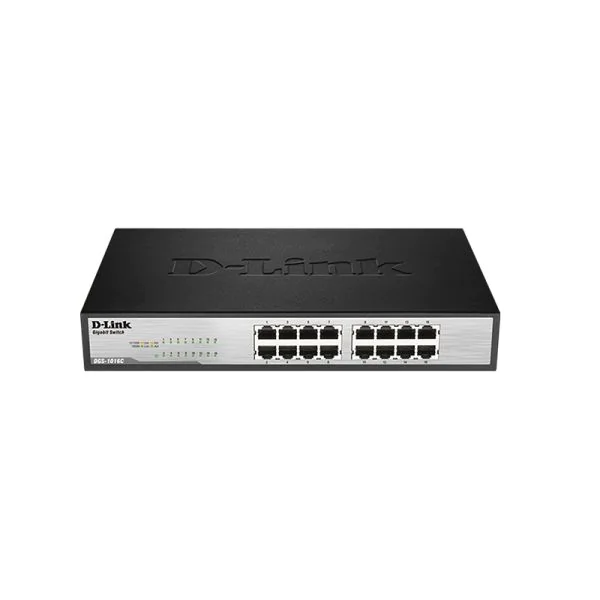
D-Link
16-Port | Gigabit | Unmanaged
In Stock
D-Link
16-Port | Fast Ethernet | Unmanaged
In Stock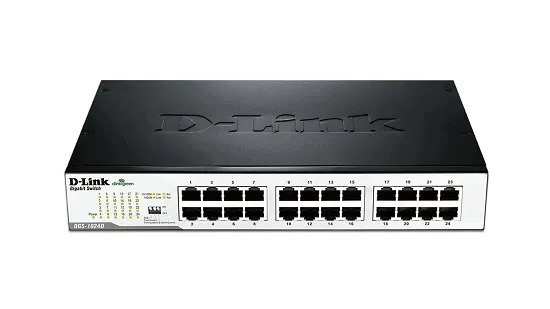
D-Link
24-Port | Fast Ethernet | Unmanaged
In Stock