Who is this switch best for?
- Office LAN expansion
- CCTV and IP camera networks
- WiFi access point connectivity
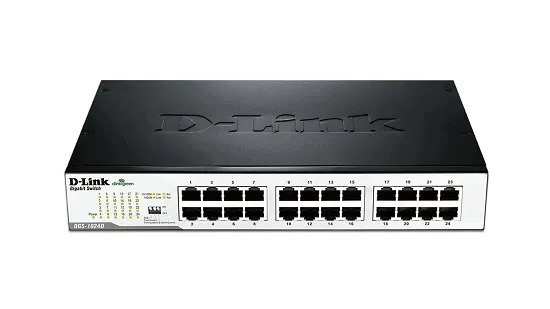
Works with standard Ethernet networking equipment including routers, computers, IP cameras, access points and servers. Confirm port, PoE and mounting requirements before purchase.
Check the product label or manufacturer datasheet for exact input voltage, power adapter and PoE requirements.
The D-Link DES-1024D is an unmanaged Fast Ethernet switch designed to expand a wired network with minimal setup. It suits offices, shops, classrooms and other installations that need multiple connections for computers, printers and Ethernet equipment.
Its plug-and-play operation makes it straightforward to use: connect it to an existing router, attach your devices and check connectivity. No switch-management account or configuration software is required.
The DES-1024D supports 10/100Mbps connections, rather than Gigabit Ethernet. Choose it where the expected traffic fits that capacity. Faster internet services, large file transfers and demanding storage applications may benefit from a Gigabit switch. D-Link
Contact Network Switch Kenya for a quotation for the D-Link DES-1024D 24-Port Desktop Switch.
Confirm the hardware revision, supplied power cord, mounting accessories and warranty terms. Include Ethernet cables, installation and delivery requirements in your enquiry.
Browse networking equipment at Network Switch Kenya when preparing your installation.
The switch adds ports where an existing router cannot accommodate all local devices.
If one port connects to the router, 23 ports remain for other equipment. There is no separate Gigabit uplink; the router connection operates within the same Fast Ethernet limits as the other ports.
Straightforward OperationThe unmanaged design suits a simple network where advanced switch controls are unnecessary.
Your router continues to provide services such as DHCP, internet routing and firewall protection. The switch carries traffic between connected equipment.
Automatic Connection SettingsAutomatic speed sensing and duplex negotiation establish supported settings with attached devices. Auto MDI/MDIX simplifies ordinary Ethernet connections without requiring a dedicated crossover cable. dlink.com.au
Quiet Desktop or Rack InstallationThe fanless metal enclosure suits desktop placement or an appropriate rack installation. Confirm that the correct brackets are supplied before choosing rack mounting.
Provide ventilation even though the device has no cooling fan.
Energy-Efficient OperationD-Link documents Green features and IEEE 802.3az Energy-Efficient Ethernet support. EEE savings depend on a compatible link partner. D-Link
You can browse D-Link equipment at Tawa when comparing models. Check interface speeds carefully, particularly when distinguishing DES and DGS products.
Watch the supplied D-Link DES-1024D video on YouTube
D-Link’s product information and manual document these specifications. Physical and power details should be checked against the hardware revision supplied. D-Link
Each port supports a connection rate of up to 100Mbps. Application throughput is lower because of protocol overhead and other network conditions.
Full-duplex operation allows sending and receiving simultaneously at the supported rate. It does not provide a 200Mbps one-direction connection.
The switching-capacity figure describes aggregate operation across the switch, not the speed available through one port.
When several devices access the internet through one router connection, they share that uplink’s available capacity. A faster router or internet package cannot remove this limitation.
Connect workstations, printers and other equipment where the expected traffic is modest. Assess file-transfer and internet requirements before choosing Fast Ethernet.
Retail PremisesProvide wired connections for compatible tills, office computers and printers. Confirm the requirements of the business software and payment equipment.
Classrooms and Training RoomsConnect multiple computers where the planned applications fit the available bandwidth. Shared downloads or server traffic should be included in capacity planning.
Basic CCTV Network ConnectionsCarry camera traffic where the aggregate demand fits the network links. Cameras need separate compatible power supplies or injectors because the switch has no PoE output.
For a smaller managed Gigabit option, review the MikroTik RB260GS at Network Switch Kenya, noting its different port count and features.
The DES-1024D distributes an existing network. It does not independently supply an internet connection or gateway services.
The supplied MikroTik Kenya catalogue and MikroTik equipment search at Orbitlink Solutions provide places to explore complementary equipment.
Select the router around user load, internet service and required functions. Check the switch’s capacity separately.
Check that the label identifies DES-1024D. Record the hardware revision and inspect the supplied cord and mounting hardware.
Do not confuse it with the similarly named DGS-1024D, which is a different product.
2. Select a LocationPlace the switch on a stable indoor surface or install it using the correct rack brackets.
Allow ventilation and space for cables. Keep it away from moisture and avoid stacking items over ventilation openings.
3. Connect PowerUse the supplied cord and follow the electrical rating on the unit.
Check that the power indicator lights. A suitably sized UPS may help maintain operation, but internet continuity also depends on the router and service equipment.
4. Connect the RouterConnect a router LAN port to any switch Ethernet port.
Keep the router’s WAN connection attached to the internet service. Begin with a single uplink.
5. Connect Local EquipmentAttach devices to the remaining ports using suitable Ethernet cables.
Provide separate compatible power for any cameras or access points that require PoE. Connecting them to this switch alone will not power them.
6. Check AddressingMost computers should obtain network settings from the router’s DHCP server.
The switch needs no management IP address. Configure static addresses on endpoints only where the network plan requires them.
7. Test ConnectionsVerify that devices can reach the router, shared resources and internet services where available.
Check link indicators. Try a known-working cable and endpoint when investigating a failed connection.
8. Avoid LoopsDo not add redundant cables between switches without an appropriate network design.
An accidental loop can disrupt the entire connected network. Use one connection between devices for the basic installation.
9. Label and DocumentLabel cable destinations and record which ports serve each device or room.
Provide manageable service length without tension, sharp bends or large tangled bundles.
Confirm that the quotation includes the switch, appropriate power cord and documentation.
Ask separately about rack brackets, mounting screws and rubber feet. Ethernet cables and installation materials should be itemized where required.
No. Its interfaces support 10/100Mbps.
Does it need software installation?No. Basic operation is plug-and-play.
Can it provide Wi-Fi?No. Connect a separate access point.
Can it power PoE equipment?No. Use a compatible injector, PoE switch or other approved power source.
Does it increase internet speed?No. It distributes connectivity and may limit faster services to the capacity of its ports.
Contact Network Switch Kenya for a quotation. Include your device count and traffic requirements so the switch’s suitability can be assessed.
D-Link DES-1024D 24-Port Desktop Switch Price in Kenya is currently listed as available. Stock can change, so confirm availability before placing a large order.
The current listed price is KSh 5,000.00. Prices are generated from the product catalogue and may change when inventory is updated.
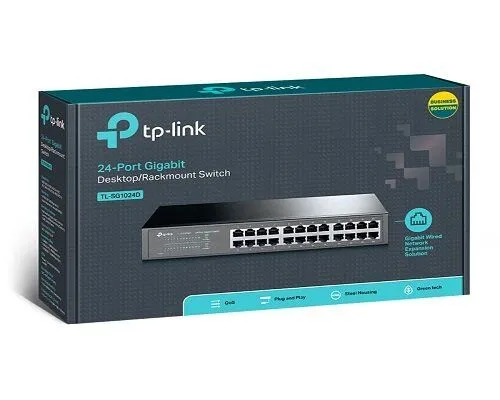
TP-Link
24-Port | Gigabit | Unmanaged
In Stock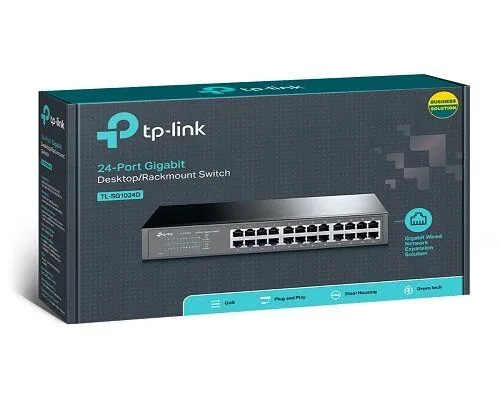
TP-Link
24-Port | Gigabit | Unmanaged
In Stock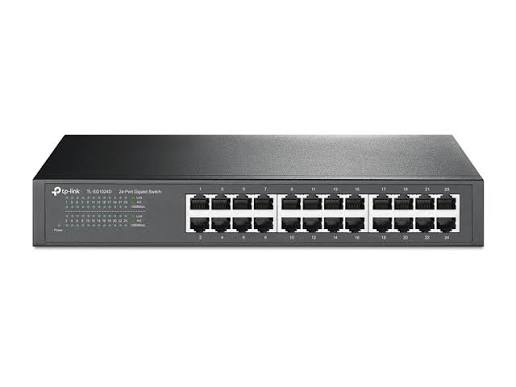
TP-Link
24-Port | Fast Ethernet | Unmanaged
In Stock
D-Link
8-Port | Gigabit | Unmanaged
In Stock