Who is this switch best for?
- Office LAN expansion
- CCTV and IP camera networks
- WiFi access point connectivity
Works with standard Ethernet networking equipment including routers, computers, IP cameras, access points and servers. Confirm port, PoE and mounting requirements before purchase.
Check the product label or manufacturer datasheet for exact input voltage, power adapter and PoE requirements.
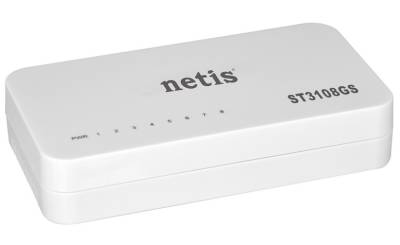
The Netis ST3108GS is a compact Ethernet switch for expanding wired connections in homes, small offices, shops and workspaces. It connects equipment such as computers, printers, smart TVs and network storage without requiring a management dashboard or complicated configuration.
With eight 10/100/1000Mbps Ethernet ports, it supports a mixture of compatible devices while allowing Gigabit-capable equipment to establish faster local connections. Its plug-and-play operation makes it suitable for users who need straightforward network expansion. lanmarket.ua
Request the current Netis ST3108GS price in Kenya from Network Switch Kenya, including confirmation of the supplied power adapter, product condition and warranty terms.
A router may have too few LAN ports for all the equipment in a room or office. The Netis ST3108GS expands those connections: connect one port to the router’s LAN, then connect other equipment to the remaining ports.
The ST3108GS is an unmanaged, non-PoE switch. It provides network connectivity without supplying power to connected cameras, phones or access points. Those devices need their own suitable power source.
It also does not provide Wi-Fi or replace an internet router. Wireless coverage requires an access point, while internet connectivity requires an appropriate upstream gateway and service.
Specifications follow the manufacturer-authored ST3108GS datasheet. Check the supplied unit’s label before selecting a replacement adapter. lanmarket.ua
The switch is useful when the router’s available LAN connections are already occupied. A single connection between the router and switch creates additional connection points for equipment nearby.
One port normally serves the upstream connection, leaving seven for other devices. This is worth considering when planning a workstation area, entertainment setup or small office.
If eight endpoint devices must connect alongside the router, choose a switch with more ports.
Gigabit Connectivity for Local TransfersGigabit connections can help when moving files between appropriately equipped computers or accessing local storage.
Actual transfer speed depends on the complete path, including network adapters, cables, storage performance and any intervening equipment. A computer with a slower network adapter will connect at the speed it supports.
The advertised full-duplex capability means simultaneous transmission and reception. It does not mean a single download runs at 2Gbps.
Straightforward InstallationBasic operation requires no switch login, controller account or software installation. This reduces setup work for users who simply need additional wired connections.
Connected equipment still needs appropriate IP addressing and security settings. A camera must be activated and added to its recorder; a printer must be installed on the computers that use it.
Flexible Port UseThere is no separate WAN port. An Ethernet connection to a router or another switch can use an ordinary port.
Automatic cable handling also simplifies connection to compatible equipment. Use properly terminated cables and retain automatic speed negotiation unless troubleshooting identifies a specific reason to change endpoint settings.
Compact Equipment PlacementThe small enclosure suits a desk, shelf or other suitable equipment location. Keep cable connectors accessible and avoid placing objects over ventilation openings.
For another compact option, compare the TP-Link TL-SG1008D 8-Port Gigabit Desktop Switch.
Connect a desktop computer, printer, network storage device and other wired equipment to the same local network.
This can be convenient where the main router is elsewhere and one Ethernet cable already reaches the workspace.
Small Business WorkstationsBring several computers and printers together at a central connection point. The router continues to provide internet access, DHCP and firewall services as configured.
For example, one upstream connection, four computers and a printer would use six ports, leaving two available for other equipment.
Home EntertainmentConnect a smart TV, game console, streaming device and other Ethernet-equipped equipment where wired connections are preferred.
Performance still depends on the upstream internet service and the requirements of each application.
Local Storage AccessConnect compatible computers and network storage equipment for local access. Storage speed, device capability and simultaneous traffic affect the results.
Surveillance ConnectionsThe switch can carry traffic between separately powered cameras and recording equipment. It does not supply camera power.
Check the recorder’s channel count, incoming bandwidth and storage capacity independently of the switch’s connection count.
Gigabit connectivity is useful when local traffic would otherwise be limited by a 100Mbps connection. However, replacing one switch will not remove every bottleneck.
Connection scenarioPractical effectGigabit computer and Gigabit storage connected locallyCan establish a Gigabit network linkDevice with a 100Mbps network interfaceRemains limited by that interfaceGigabit switch connected to a 100Mbps router portTraffic crossing that uplink is limited by the slower connectionInternet package below Gigabit speedInternet performance remains subject to the service and routerSeveral devices sharing one upstream connectionTheir combined upstream traffic shares that connectionFor a simpler alternative in the same general category, review the D-Link DGS-108 Gigabit Unmanaged Desktop Switch at Tawa. Compare the exact hardware version and supplied accessories before purchase.
Count the devices and allow one port for the upstream router or switch.
Identify any equipment requiring PoE. Arrange a compatible separate power supply or select a PoE switch if centralized device power is required.
Prepare tested Cat5e or Cat6 cables for Gigabit connections. For ordinary copper Ethernet, plan within the standard 100-meter channel limit.
2. Position the SwitchPlace it on a stable surface in a dry, ventilated location. Keep it away from liquids, excessive heat and locations where cables may be pulled accidentally.
Allow enough space for the adapter connector and Ethernet plugs.
3. Connect the Correct Power AdapterUse the adapter supplied for the unit and verify its label before connecting it.
Do not substitute an adapter based only on connector fit. Voltage, polarity, current capacity and connector dimensions must be appropriate.
Check that the power indicator illuminates.
4. Connect the RouterConnect a router LAN port to any switch port.
If the internet service normally reaches the router through a modem or ONT, retain that arrangement. The switch should connect to the appropriate LAN side of the router for an ordinary home or office installation.
Begin with one upstream cable. Do not connect two parallel cables between the same switches.
5. Connect Endpoint DevicesConnect computers, printers and other equipment to the remaining ports.
Inspect the port indicators for an established connection. If there is no link, check that the endpoint is powered on and that both cable ends are properly seated.
6. Check IP AddressingWhere the router provides DHCP, set ordinary client devices to obtain their network settings automatically.
For devices using static addresses, confirm that each address is unique and uses the correct subnet, gateway and DNS settings.
The switch itself does not need a management address for normal operation.
7. Test Local and Internet AccessOpen a website from a connected computer, then test any required local resources.
For printers, print a test page. For local storage, transfer a representative file. For surveillance, verify recording and playback rather than checking only the live image.
8. Confirm the Negotiated Link SpeedIf performance is lower than expected, inspect the computer’s network connection status.
A connection negotiating at 100Mbps may indicate a slower endpoint, damaged cable, incomplete termination or slower upstream equipment. Try a known-good cable and another port before replacing hardware.
9. Test with Several Devices ActiveRun the applications expected in everyday use. This helps identify whether the shared upstream connection or another component becomes a bottleneck.
A successful test with one computer does not establish the performance of the complete installation.
10. Label the CablesLabel each connection and record the upstream port and device locations. Keep the correct power adapter with the switch to reduce future maintenance errors.
If your installation needs managed PoE connections, compare the UniFi Pro 8 PoE at Ubiquiti UniFi Kenya. Assess its power capacity, management requirements and interfaces against your devices.
You can also review the TP-Link 8-Port Gigabit Switch at Orbitlink Solutions. Confirm the exact listed model before comparing detailed specifications.
For a surveillance installation requiring Ethernet-delivered power, consider the Dahua 8-Port Fast Ethernet PoE Switch at Reisen SEO. Its exact model, power budget and connection speeds should be checked separately.
The documented package includes the switch, power adapter and quick installation guide. Confirm the contents supplied with the quoted unit. lanmarket.ua
Ethernet cables, UPS equipment and installation services should be specified separately unless expressly included.
No. Connected cameras, phones and access points need a separate suitable power source.
How many devices can connect alongside the router?With one port used upstream, seven ports remain for directly connected equipment.
Does it require a username or password?No switch login is required for basic unmanaged operation.
Can it connect devices from different brands?Yes, when they use compatible Ethernet connections. Their application settings and power requirements still need to be configured appropriately.
Will it make my internet faster?It can remove a slower local connection where that connection is the bottleneck. It cannot increase the speed provided by your internet package.
Can it operate without internet?Devices on a correctly configured local network can communicate without internet. Internet-based applications still require an upstream connection.
Contact Network Switch Kenya for a quotation on the Netis ST3108GS 8-Port Gigabit Switch. Share your device count and cabling requirements to confirm whether this model provides enough connections for your installation.
Netis ST3108GS 8-Port Gigabit Switch Price in Kenya is currently listed as available. Stock can change, so confirm availability before placing a large order.
The current listed price is KSh 2,400.00. Prices are generated from the product catalogue and may change when inventory is updated.
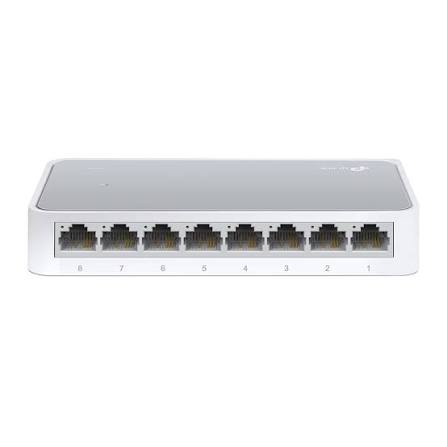
TP-Link
8-Port | Fast Ethernet | Unmanaged
In Stock
TP-Link
8-Port | Gigabit | Unmanaged
In Stock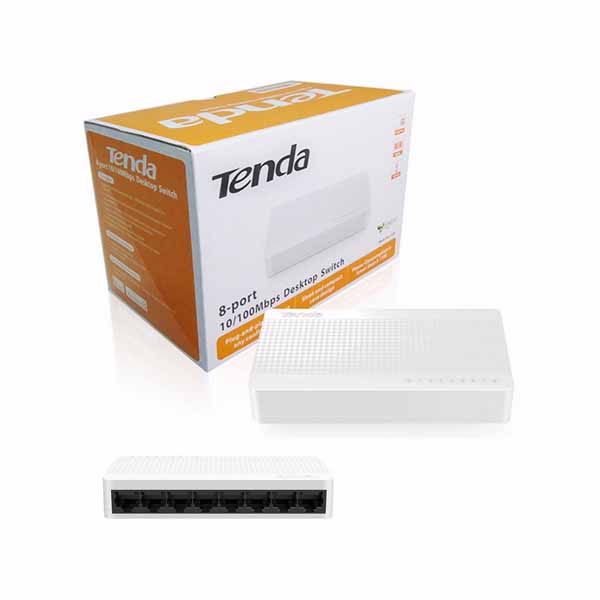
Tenda
8-Port | Fast Ethernet | Unmanaged
In Stock
D-Link
8-Port | Gigabit | Unmanaged
In Stock