Who is this switch best for?
- Office LAN expansion
- CCTV and IP camera networks
- WiFi access point connectivity
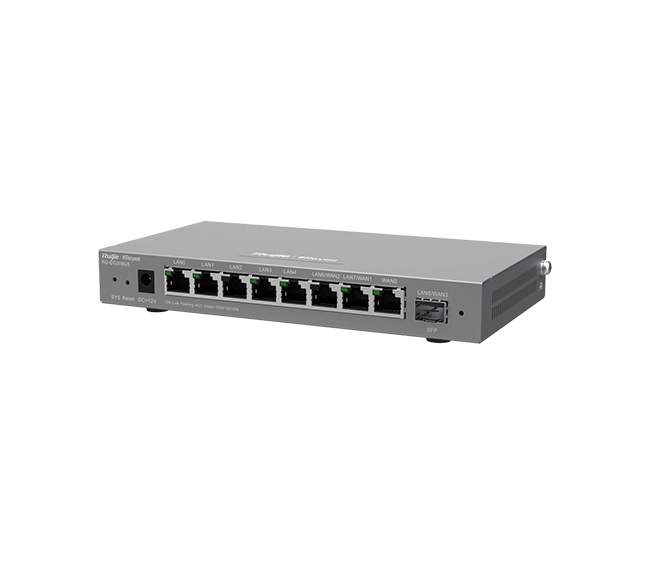
Works with standard Ethernet networking equipment including routers, computers, IP cameras, access points and servers. Confirm port, PoE and mounting requirements before purchase.
Check the product label or manufacturer datasheet for exact input voltage, power adapter and PoE requirements.
The Ruijie Reyee RG-ES209GC-P combines Gigabit networking, PoE+ power and cloud management in a compact switch for offices, shops, hospitality premises and surveillance installations. It is suited to projects that need to connect and power compatible devices while giving administrators visibility into the network.
The switch provides nine Gigabit Ethernet ports: eight PoE+ connections and one non-PoE connection. This arrangement lets you connect upstream equipment while keeping the powered ports available for cameras, wireless access points or IP phones. sysnetcenter.com
Request the current Ruijie Reyee RG-ES209GC-P price in Kenya from Network Switch Kenya, including any required cabling, backup power and installation services.
The RG-ES209GC-P is a smart cloud-managed switch, providing more control than a basic unmanaged model. Its management features are particularly useful when supporting equipment at a remote site, investigating a disconnected device or organizing network connections.
Ruijie highlights cloud-based VLAN configuration, camera and recorder recognition, loop prevention, port isolation and PoE recovery functions for this model. Available controls depend on the installed firmware and management interface. Ruijie Reyee
This product is a switch, not an internet router or wireless access point. It expands wired connectivity and powers compatible endpoints. Internet routing and Wi-Fi coverage require the appropriate separate equipment.
Specifications follow Ruijie’s product information and manufacturer-authored hardware guide. sysnetcenter.com
PoE simplifies installation by carrying electricity and network traffic through the same Ethernet cable. Compatible equipment can be installed without placing an individual mains adapter beside every device.
This is useful for ceiling-mounted access points, corridor cameras and desk phones. Before deployment, check the endpoint’s required PoE standard and maximum power consumption.
Do not assume compatibility with passive-PoE equipment or devices requiring higher-power PoE standards.
Gigabit Connectivity Across the SwitchGigabit connections accommodate more demanding local traffic than Fast Ethernet connections. This can be useful when several cameras, access points and office devices share the installation.
Actual throughput depends on the endpoints, cabling and upstream network. A Gigabit switch does not increase the speed of an internet subscription.
A Separate Non-PoE ConnectionPort 9 can provide an upstream connection without occupying a powered port. This is convenient when connecting the switch to a router or another switch.
Plan the recorder connection carefully. For example, eight cameras, a local recorder and a separate router would require ten physical connections. That arrangement needs additional network capacity or a different topology.
Cloud Management for Remote SitesCloud management can reduce the number of visits needed for routine checks. It is useful for installers supporting several branches or equipment installed away from the main office.
Remote access requires working internet connectivity and correct account permissions. If a site loses internet access, remote management may become unavailable even when local connections remain operational.
PoE Recovery and TroubleshootingA remotely controlled power cycle can help recover an unresponsive endpoint without someone disconnecting its cable on site.
Automatic recovery settings should be applied carefully. Repeatedly restarting a device does not resolve an underlying power shortage, faulty cable or hardware problem.
Compact, Quiet PlacementThe enclosure suits installations with limited equipment space. Its cooling arrangement is helpful near work areas, but the switch and adapter still require ventilation.
For additional connections that do not need PoE, consider the TP-Link TL-SG1008D Gigabit Desktop Switch.
Connect compatible access points, phones and ordinary Ethernet devices to a central network point. Use an appropriate upstream router for internet connectivity and security.
IP Surveillance InstallationsBring camera connections together near the recording network. Cameras still require activation, secure credentials and suitable addressing before being added to a recorder.
The switch’s port count does not determine recording capacity. Check the recorder’s supported channels, incoming bandwidth and storage requirements separately.
Retail PremisesA shop may need cameras, a wireless access point, payment equipment and back-office connectivity. Plan which devices need power from the switch and which use their own adapters.
Any required separation between payment, guest and surveillance networks should be designed across the entire network.
Small Hotels and GuesthousesThe switch can support a group of compatible phones, cameras or access points in one part of a property. Larger buildings may need several switches and a carefully planned backbone.
Remote BranchesCloud visibility is useful when the person responsible for network support is based elsewhere. Document the site’s equipment and maintain an authorized local contact for physical troubleshooting.
The shared power budget applies to all powered devices together. The individual port maximum does not mean that every powered connection can deliver its maximum simultaneously.
Hypothetical device loadCombined demand before cable losses8 cameras consuming 8W each64W4 cameras at 10W plus 2 access points at 20W80W8 devices consuming 20W each160WThe final example exceeds the stated budget. These are planning illustrations, not guaranteed supported configurations.
Use each device’s maximum consumption, account for cable losses and leave headroom. Camera infrared illumination, heaters and other functions may increase demand beyond normal daytime operation.
Create a list of devices, maximum power requirements and cable routes. Identify the upstream connection and decide whether a recorder or other local equipment will also connect directly.
Prepare tested Cat5e or Cat6 cables. Use cable suitable for the installation environment and protect external runs appropriately.
For ordinary copper Ethernet, plan within the standard 100-meter channel limit. Do not assume that an extended-distance setting preserves Gigabit speed or full power delivery.
2. Position the Switch and AdapterPlace the equipment on a stable surface in a dry, secure location. Keep ventilation openings clear and avoid heat sources.
Use the mounting arrangements permitted by the supplied installation guide. Leave enough room to inspect indicators and disconnect cables safely.
3. Connect the Correct Power SupplyUse the manufacturer-specified adapter supplied for the unit. Check its label and connector before connection.
A replacement adapter must match more than voltage: polarity, current capacity and connector dimensions also matter.
Where uninterrupted operation is important, select a UPS for the switch, powered load, router and recorder as applicable.
4. Connect the Upstream NetworkConnect port 9 to the appropriate router LAN port or upstream switch.
Start with a single upstream path. Avoid connecting parallel cables between switches without a deliberate network design, even when loop-protection features are available.
5. Confirm Basic ConnectivityConnect a computer and verify that it receives suitable network settings from the intended DHCP server.
Check local access and internet connectivity before adding the complete endpoint load. Resolve upstream addressing or router problems first.
6. Add the Switch to Ruijie CloudUse the current official Ruijie Cloud application or portal and create or select the correct site.
Follow the device onboarding process, which may involve scanning its identification label or entering its serial number. Keep ownership under the business’s authorized account and grant installers appropriate access.
If the device is already associated with another account or project, arrange an authorized transfer. Avoid factory-resetting an installed unit without preserving its configuration and confirming ownership requirements.
7. Secure Administrative AccessSet strong credentials and limit access to authorized users.
Give the device a recognizable site name and document its physical location. Review the management address and account recovery details so future maintenance does not depend on one person.
8. Configure Network Separation Where NeededFor a segmented installation, prepare a VLAN plan before changing port settings.
A typical arrangement involves:
Use the controls supported by the installed firmware. VLANs require appropriate upstream routing, DHCP and security policies to function as intended.
9. Connect PoE Equipment GraduallyConnect powered devices individually to ports 1–8. Verify startup and power allocation before adding the remaining equipment.
Configure cameras, phones and access points separately. A switch connection alone does not complete camera recording, phone provisioning or wireless setup.
10. Configure Recovery Functions CarefullyWhere suitable, enable endpoint recovery and monitoring functions after testing normal operation.
Avoid aggressive restart behavior that could interrupt recording or repeatedly reboot healthy devices. Investigate recurring failures instead of relying solely on automated recovery.
11. Review FirmwareCheck the exact model and current release before upgrading. Use the manufacturer’s applicable firmware and instructions.
Preserve an existing configuration and maintain stable power throughout the update. Schedule changes when a brief interruption is acceptable.
12. Test and Document the InstallationTest all connected devices simultaneously. Verify recording, calls, wireless access and intended network separation.
Check cameras during night operation where applicable. Label cables and retain a port map, device inventory and record of configuration changes.
For a different managed PoE platform, review the UniFi Pro 8 PoE at Ubiquiti UniFi Kenya. Compare power capacity, interfaces and management requirements against your installation.
If you need ordinary wired expansion, assess the TP-Link 8-Port Gigabit Switch at Orbitlink Solutions. Confirm the exact model and whether it provides device power.
The D-Link DGS-108 Gigabit Unmanaged Desktop Switch at Tawa is another option for simpler connectivity where its specification meets the project.
For surveillance equipment, compare the Dahua 8-Port Fast Ethernet PoE Switch at Reisen SEO. Check its exact model, endpoint speeds and power budget before treating it as a replacement.
Confirm that the quotation includes the correct power adapter, mains cable and supplied documentation.
Ethernet cables, cameras, access points, UPS equipment and installation services should be specified separately unless expressly included. Confirm mounting accessories and warranty terms before purchase.
It has nine Ethernet ports in total. Eight supply PoE+, while the ninth provides a non-PoE connection.
Can all powered ports deliver their maximum at once?No. The combined demand must stay within the shared power allowance.
Does it provide Wi-Fi?No. Connect a separate access point for wireless coverage.
Does it replace an internet router?No. It expands the wired network; an appropriate router provides internet gateway services.
Can it power devices from other manufacturers?Yes, where their power standards and requirements are compatible and sufficient shared power remains available.
Can it connect directly to fiber?It has no SFP interface. A suitable upstream switch or media conversion arrangement is needed for a fiber connection.
Contact Network Switch Kenya for a quotation on the Ruijie Reyee RG-ES209GC-P Gigabit Smart Cloud Managed PoE Switch. Share your device count, maximum power requirements and connection plan to confirm the equipment and accessories needed.
Ruijie Reyee RG-ES209GS 8-Port Gigabit Smart Switch Price in Kenya is currently listed as available. Stock can change, so confirm availability before placing a large order.
The current listed price is KSh 8,900.00. Prices are generated from the product catalogue and may change when inventory is updated.
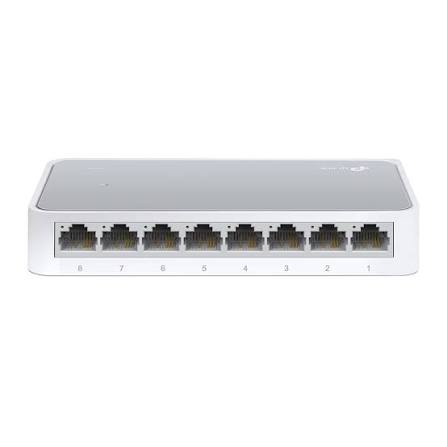
TP-Link
8-Port | Fast Ethernet | Unmanaged
In Stock
TP-Link
8-Port | Gigabit | Unmanaged
In Stock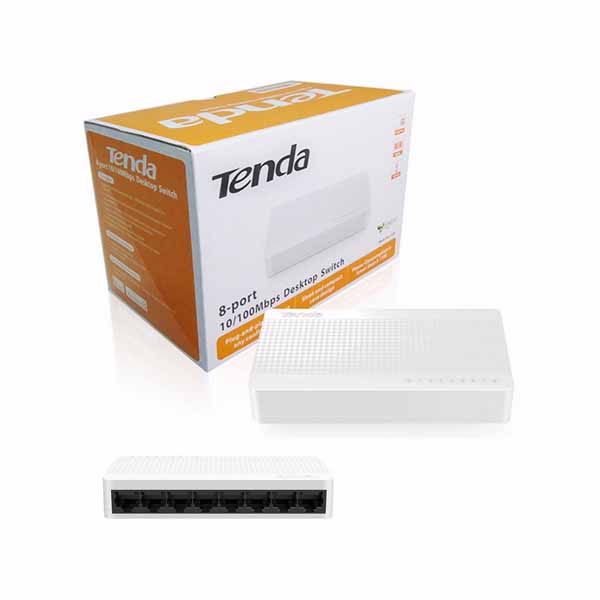
Tenda
8-Port | Fast Ethernet | Unmanaged
In Stock
D-Link
8-Port | Gigabit | Unmanaged
In Stock