Who is this switch best for?
- Office LAN expansion
- CCTV and IP camera networks
- WiFi access point connectivity
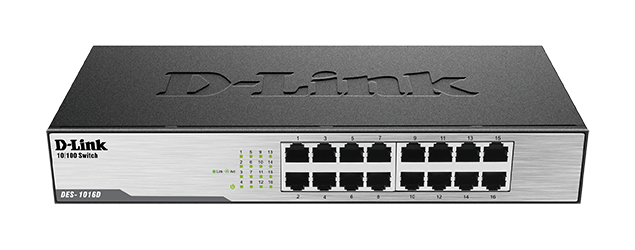
Works with standard Ethernet networking equipment including routers, computers, IP cameras, access points and servers. Confirm port, PoE and mounting requirements before purchase.
Check the product label or manufacturer datasheet for exact input voltage, power adapter and PoE requirements.
The D-Link DES-1016D 16-Port Fast Ethernet Switch expands wired connectivity for small offices, shops, classrooms, and workgroups using everyday network applications. It is suitable for connecting computers, printers, and other Ethernet equipment where straightforward operation matters more than advanced management.
The DES-1016D is an unmanaged 10/100Mbps switch. It provides basic connectivity without requiring a management account, controller, or software configuration. Its metal enclosure and fanless design suit shared workspaces, while desktop and rack installation options help organize equipment. D-Link
This model is best considered for modest bandwidth requirements and legacy equipment. For large file transfers, busy shared storage, or internet services exceeding 100Mbps, a Gigabit switch is a more suitable choice.
Request the current D-Link DES-1016D price in Kenya from Network Switch Kenya. Confirm the supplied hardware revision, package contents, and warranty before ordering.
The following physical and power specifications follow D-Link’s I1 documentation. Earlier revisions differ.
SpecificationDetailsModelD-Link DES-1016DSwitch categoryUnmanaged Fast Ethernet switchEthernet interfaces16 × 10/100Mbps RJ45Gigabit interfacesNoneSwitching fabric3.2GbpsForwarding methodStore-and-forwardMAC address table8K entriesPort functionsAuto-negotiation and Auto MDI/MDIXFlow controlIEEE 802.3xEnergy-saving supportIEEE 802.3az EEEPoE outputNoneOptical interfacesNoneEnclosureMetalCoolingFanlessInstallationDesktop or rackmountDimensions, I1280 × 126 × 44mmWeight, I10.85kgMaximum power consumption, I12.92WOperating temperature0–40°COperating humidity10–90%, non-condensingA 100Mbps full-duplex connection can transmit and receive simultaneously. References to 200Mbps full duplex describe the combined directions; they do not mean a 200Mbps download connection. D-Link
The DES-1016D provides enough connections for a group of computers and shared equipment through one central point.
For example, an office could connect several workstations, a printer, and an upstream router. Labeling each connection by desk or room makes future maintenance easier.
One port normally connects to the router or upstream network, leaving fifteen ports for local equipment.
Straightforward InstallationThe switch suits installations that need ordinary Ethernet connectivity without configurable port policies.
There is no VLAN configuration process or switch management address to establish for basic operation. Connect the equipment, check the links, and verify that the router supplies the required network settings.
This simplicity also means fewer administrative controls. Choose a managed switch if the installation requires configurable segmentation, monitoring, or access policies.
Practical for Modest Network RequirementsThe DES-1016D can serve applications such as basic browsing, email, document access, and network printing, provided their bandwidth demands fit the connection capacity.
It is less appropriate for frequent large backups, high-volume media transfers, or busy network storage. Consider the TP-Link TL-SG1016D 16-Port Gigabit Switch when higher connection speeds are needed.
Flexible Equipment OrganizationPlace the switch near a patch panel or group of workstations to keep cabling centralized.
For rack installation, confirm that the correct brackets and fixings are included or available. Leave sufficient access for cable inspection and power disconnection.
Connect computers, printers, and other fixed Ethernet devices to an existing router.
This arrangement can suit offices whose work mainly involves web applications, email, and smaller documents. Assess actual workloads before choosing Fast Ethernet for a new installation.
Classrooms and Training RoomsThe switch can connect a group of computers for basic learning applications and shared resources.
If lessons involve transferring large software packages, working with media files, or accessing shared storage heavily, Gigabit connectivity offers more room for those workloads.
Retail and Administrative AreasUse the switch to connect suitable checkout computers, printers, and back-office equipment.
Payment systems must follow their service providers’ network requirements. Installing an unmanaged switch alone does not establish the required security controls.
Legacy Equipment NetworksThe DES-1016D can be useful when maintaining equipment that already operates at 10 or 100Mbps.
Match the switch to the application rather than assuming that a higher port count compensates for a slower connection.
Every connection is Fast Ethernet. The uplink is also limited to 100Mbps. Multiple devices communicating through it share that capacity.
It does not supply power to endpoints. Cameras, access points, and phones need their own compatible power source.
It does not replace the router. Internet access, DHCP, firewall rules, and routing remain the responsibility of other network equipment.
It has no configurable VLAN dashboard. Use managed equipment where staff, guest, surveillance, or other networks need deliberate separation.
Check the hardware revision. D-Link has produced this model over several generations. Use the supplied unit’s label and matching documentation for physical details and power requirements.
For a smaller Fast Ethernet workgroup, compare the TP-Link TL-SF1008D 8-Port Desktop Switch.
List the devices that will connect to the switch and reserve a port for the upstream connection.
An example arrangement is:
PortsExample use1Router LAN connection2–11Workstations12Network printer13–14Other Ethernet equipment15–16Spare connectionsThese are example assignments, not dedicated port roles.
Check whether the planned applications can operate comfortably within a shared 100Mbps uplink.
2. Prepare the EquipmentYou will need:
Cat5e or Cat6 cabling is a practical choice for installation and future reuse. Using faster-rated cable does not change this switch’s port speed.
3. Install the SwitchPlace it on a stable indoor surface or secure it in a suitable rack using the correct accessories.
Keep ventilation openings clear. Avoid stacking equipment in a way that traps heat, and route cables without placing strain on the sockets.
Keep the power connection accessible.
4. Connect PowerCheck the supplied unit’s power label and connect the appropriate cord to a suitable outlet.
Confirm that the power indicator illuminates. If it does not, test the outlet and check the cord before adding network connections.
A UPS can help maintain operation during a short outage, but the router and other essential equipment also need backup power.
5. Connect the Router or Upstream SwitchConnect a router LAN port to an available switch port.
Any ordinary port can carry this connection. There is no separate WAN interface.
Avoid adding a second cable between the same network segments without a deliberate loop-prevention design.
6. Connect EndpointsAttach computers, printers, and other equipment using individual Ethernet cables.
Check the link indicators. If a device requires external power, connect its approved supply separately.
The DES-1016D does not power an endpoint simply because that endpoint supports PoE.
7. Verify Device AddressingOn a typical DHCP-enabled network, configure computers to obtain their IP address and DNS settings automatically.
The router or designated server supplies those settings. If static addressing is required, use the administrator’s assigned values and avoid duplicate addresses.
8. Test Network ServicesCheck the functions users need:
A Gigabit-capable computer connecting at 100Mbps is expected on this model. A connection falling to 10Mbps may justify checking the cable, endpoint settings, and link negotiation.
9. Label and Document the InstallationLabel both ends of important cables and retain a port schedule.
Record which port connects upstream so it can be identified quickly during troubleshooting. Keep spare cables available for testing.
For similar connectivity requirements, compare the TP-Link TL-SF1016D at Orbitlink, Orbitlink’s 16-port Fast Ethernet listing, and the TL-SF1016D at Tawa.
Additional listings include Reisen SEO’s TP-Link 16-port 10/100Mbps switch, its TL-SF1016D product page, and the D-Link DES-1016D at Tawa. Confirm exact model and revision details when comparing.
Gigabit AlternativesFor higher connection speeds, investigate the TP-Link TL-SG1016D at Orbitlink and Orbitlink’s 16-port Gigabit switch listing.
Other options include the D-Link DGS-1016D, D-Link DGS-1016C, TP-Link TL-SG1016 at Tawa, and TL-SG1016D at Tawa.
You can also review the TL-SG1016 at Reisen SEO and TL-SG1016D at Reisen SEO.
PoE and Managed OptionsIf endpoints need Ethernet power, compare the UniFi Lite 16 PoE, Orbitlink USW-Lite-16-PoE listing, and Tawa USW-Lite-16-PoE listing. Check powered-port counts and shared budgets separately.
For other UniFi configurations, review the UniFi Pro Max 16, Pro Max 16 PoE, and USW-16-PoE.
Surveillance-focused options include the D-Link DES-F1016P-E/B at Tawa and DES-F1016P-E/B at Reisen SEO. Reisen SEO also provides a D-Link 16-port managed PoE switch listing; verify the exact model before selecting it.
Specialized Backbone and Fiber EquipmentFor a different network role, investigate the UniFi Switch 16 XG or MikroTik CRS309-1G-8S+IN when planning higher-speed aggregation.
The Huawei MA5683T GPON OLT serves an FTTH access-network role. It should be assessed as specialized fiber infrastructure rather than as a direct replacement for this desktop Ethernet switch.
Confirm the supplied power cord, mounting accessories, and documentation before purchase.
Plan separately for patch cables, a patch panel where needed, cable labels, and a suitable rack or cabinet. Confirm that any required mounting brackets match the supplied revision.
Is the DES-1016D a Gigabit switch?
No. Its ports support 10/100Mbps.
How many local devices can I connect with one router uplink?
Fifteen, because the router connection occupies one port.
Does it provide Wi-Fi?
No. Connect a separately powered wireless access point.
Can it power cameras or IP phones?
No. Use separate power supplies or suitable PoE equipment.
Does it require software installation?
No switch software is required for ordinary connectivity.
Can it use my full internet connection if my service exceeds 100Mbps?
A connection through this switch is limited by its Fast Ethernet interface. Choose Gigabit equipment to avoid that particular limit.
What is the price in Kenya?
Request a current quotation from Network Switch Kenya and confirm the hardware revision and warranty.
Choose the D-Link DES-1016D for straightforward wired connectivity where Fast Ethernet meets the workload.
Visit Network Switch Kenya for pricing or compare it with the TP-Link TL-SF1016D 16-Port Desktop Switch.
D-Link DES-1016D 16-Port Fast Ethernet Switch Price in Kenya is currently listed as available. Stock can change, so confirm availability before placing a large order.
The current listed price is KSh 3,800.00. Prices are generated from the product catalogue and may change when inventory is updated.
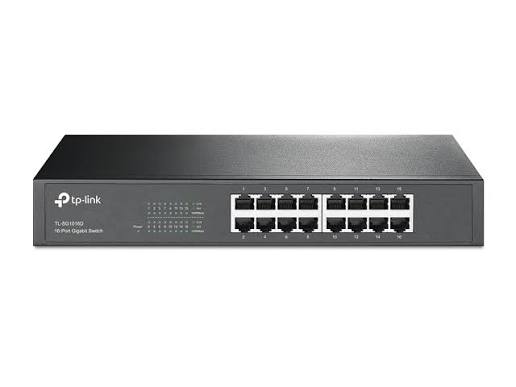
TP-Link
16-Port | Gigabit | Unmanaged
In Stock
TP-Link
16-Port | Gigabit | Unmanaged
In Stock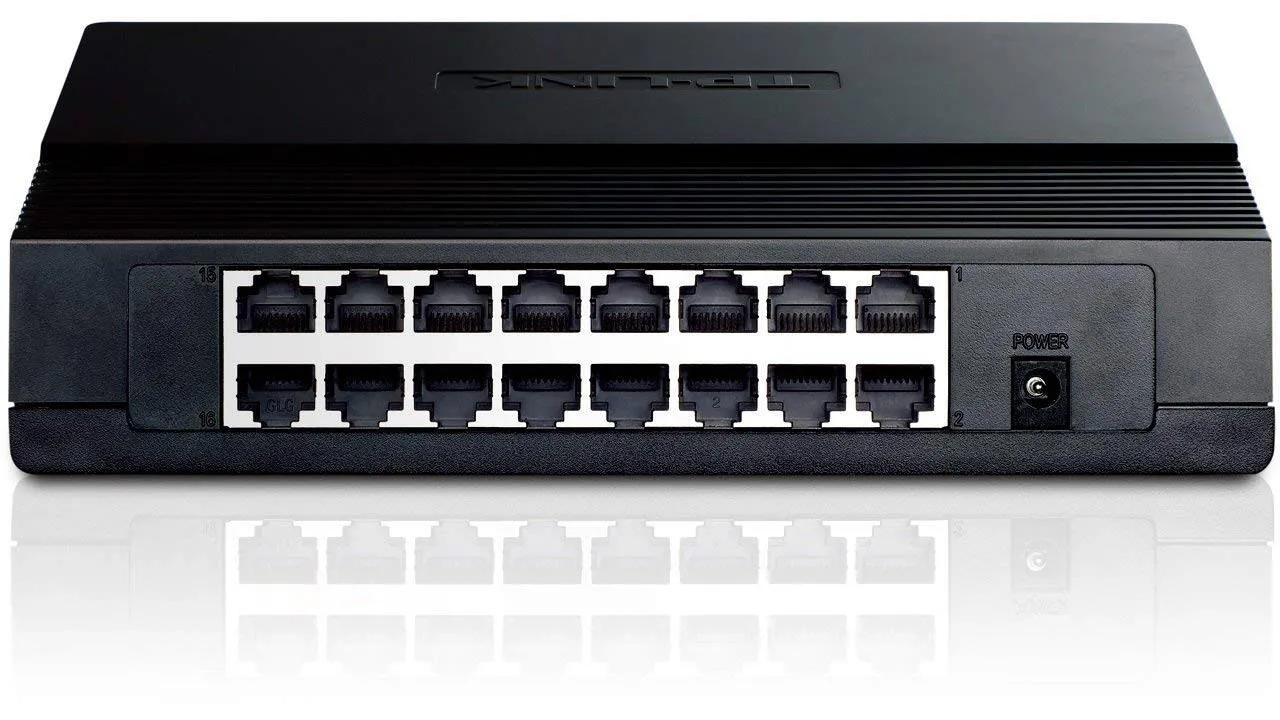
TP-Link
16-Port | Fast Ethernet | Unmanaged
In Stock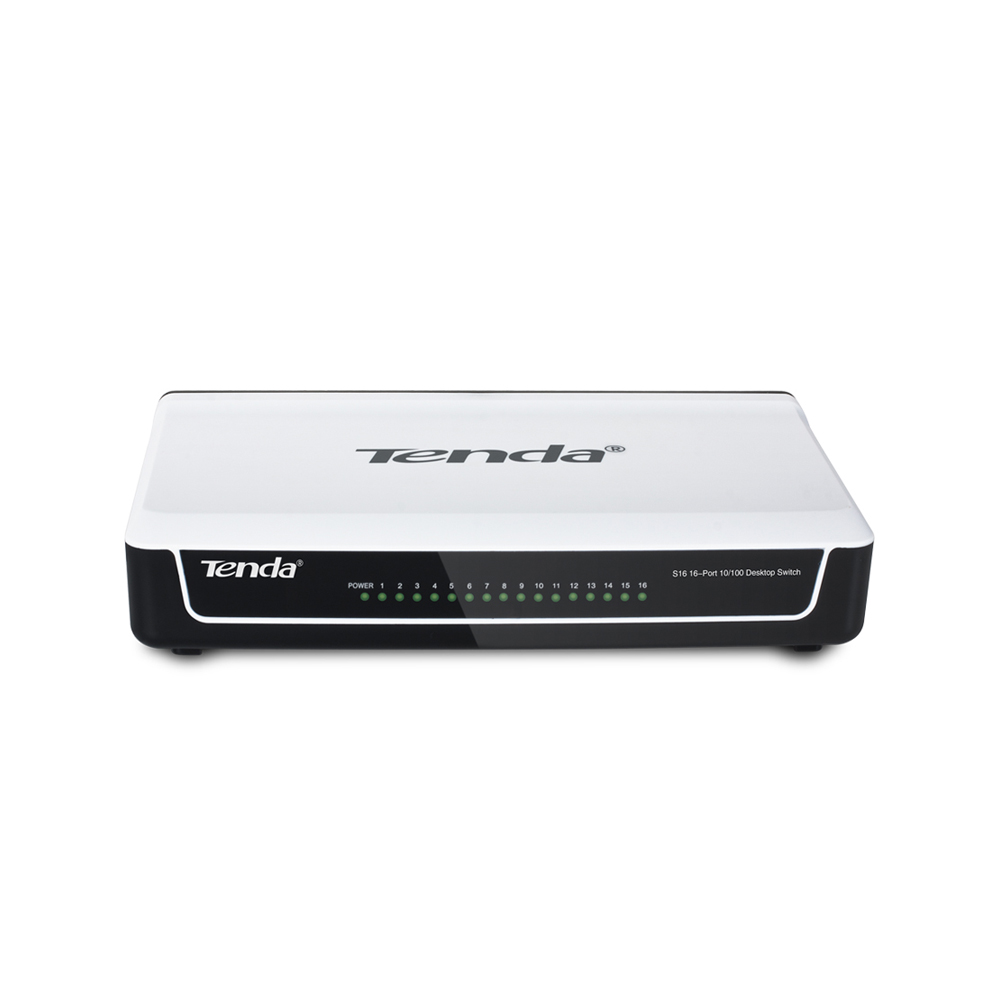
Tenda
16-Port | Fast Ethernet | Unmanaged
In Stock