Who is this switch best for?
- Office LAN expansion
- CCTV and IP camera networks
- WiFi access point connectivity
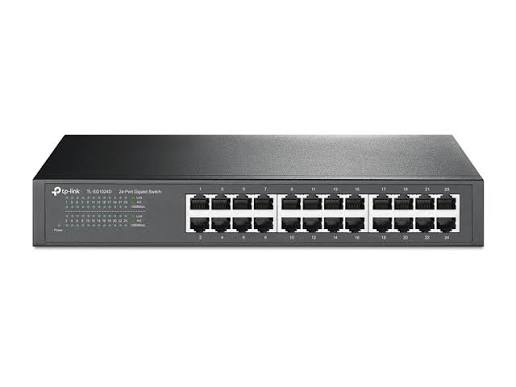
Works with standard Ethernet networking equipment including routers, computers, IP cameras, access points and servers. Confirm port, PoE and mounting requirements before purchase.
Check the product label or manufacturer datasheet for exact input voltage, power adapter and PoE requirements.
The TP-Link TL-SF1024D is a 24-port Fast Ethernet switch for expanding wired networks in offices, schools, shops and other business premises. Its unmanaged design makes installation straightforward, while desktop and rackmount options allow you to position it alongside existing networking equipment.
With 24 × 10/100Mbps Ethernet ports, it suits installations where routine browsing, printing and modest local data transfers are the main requirements. It is important to match the switch to your workload: each connection supports up to 100Mbps, so businesses needing faster file transfers should consider a Gigabit alternative. TP-Link
Explore the TP-Link TL-SF1024D at Network Switch Kenya and request a quotation confirming the supplied hardware version, accessories, warranty and delivery arrangements.
These specifications follow TP-Link’s published information. The 4.8Gbps switching capacity describes aggregate switching capacity, not the speed available through one port. TP-Link United Arab Emirates
Power supply: Confirm the supplied hardware revision before purchase. TP-Link’s regional documentation differs on the power arrangement, listing an AC-powered version and an external-adapter specification. Use the power cord or adapter specified for the actual unit. TP-Link
A central switch helps organise connections for computers, printers and other Ethernet equipment. It can reduce the need to distribute several smaller switches across an office.
Reserve ports for network infrastructure when planning capacity. Connecting one port to your router leaves 23 ports for other devices. Further connections to switches or equipment also consume ports.
Simple Plug-and-Play OperationThe TL-SF1024D does not require configuration for ordinary switching. Connect it to an existing router and attach your devices.
Your router continues handling internet access, DHCP addressing and firewall protection. This arrangement suits businesses whose main requirement is expanding an existing LAN.
For another listing of the same model, visit the supplied TP-Link TL-SF1024D product page at Orbitlink Solutions.
Flexible PlacementDesktop placement can work well in a small equipment room, while rack installation keeps connections accessible beside a patch panel.
Check the mounting kit and cabinet compatibility before installation. The chassis is narrower than a full-width rack device, so the correct brackets matter.
Quiet CoolingThe fanless design avoids cooling-fan noise. This can be useful when the equipment is installed close to occupied workspaces.
Allow ventilation around the switch even without a fan. Avoid covering its openings or placing it beside equipment that produces excessive heat. static.tp-link.com
Connect computers, network printers and other devices used for everyday office tasks. Assess shared-storage and file-transfer requirements before choosing Fast Ethernet.
If staff frequently move large files or work from central storage, compare the TP-Link TL-SG1024 24-Port Gigabit Rackmount Switch.
Schools and Training RoomsThe switch can connect classroom or laboratory computers to a central network. Count the teacher’s workstation, router, printers and spare outlets when planning the installation.
For software deployment or simultaneous access to large learning resources, check whether the available bandwidth meets demand.
Retail and Service BusinessesA wired network can connect compatible point-of-sale terminals, office computers and printers. Device addressing and application access should follow the requirements of your POS or business-system provider.
Where you need to separate payment systems, staff devices and guest access, consider managed networking equipment.
Existing Fast Ethernet InstallationsThe TL-SF1024D is an option for maintaining networks whose devices and workloads already operate satisfactorily at 100Mbps.
Consider future equipment and internet upgrades before purchasing. A Fast Ethernet switch may become a constraint if requirements increase.
Separately Powered CCTV EquipmentThe switch can carry network traffic between IP cameras and recording equipment, but it does not power cameras.
Calculate the combined video traffic and recorder connection requirements. Multiple camera streams sharing a single port must fit within that connection’s available bandwidth.
Prepare a list of connected equipment and allocate a switch port to each device.
You will typically need:
Keep each standard copper Ethernet channel within 100 metres. Select good-quality cables and properly terminated connectors.
2. Install the SwitchFor rack installation, attach the correct brackets and secure the switch using hardware suitable for your cabinet.
For desktop use, position it on a stable surface and fit the supplied rubber feet where provided.
Keep ventilation openings clear and protect the unit from moisture, dust and excessive heat. Support cable bundles so their weight does not pull on the ports.
3. Connect the Correct Power SupplyCheck the power label and hardware-version information on the actual switch.
Use the supplied, correctly rated adapter or mains cord according to the unit’s requirements. Do not substitute an adapter simply because its connector fits.
Switch on the power and check the power indicator.
4. Connect Your RouterConnect a LAN port on the router to an available TL-SF1024D port.
The router should already have working internet access. For a typical office setup, its DHCP server assigns addresses to connected devices.
The TL-SF1024D does not replace the router, provide an ISP connection or require internet-service credentials.
5. Connect Computers and Other EquipmentAttach computers, printers and other Ethernet devices to the remaining ports.
In a structured-cabling installation, connect switch ports to the patch panel and equipment to the corresponding wall sockets.
Devices requiring PoE need appropriate separate power arrangements. Check the device’s PoE standard and power requirement before selecting an injector.
6. Check IP AddressingSet computers to obtain addresses automatically if your router provides DHCP.
For printers and equipment requiring consistent addresses, use DHCP reservations or a suitable static-address plan. Avoid duplicate addresses.
Confirm that each device has the correct gateway and DNS settings where internet access is needed.
7. Test ConnectivityCheck the link indicators, then verify that a connected computer can:
A negotiated speed of 100Mbps is normal for this switch. If a connection operates at 10Mbps, inspect the cable and device settings.
An internet speed test measures your internet connection; a local transfer test helps assess LAN performance.
8. Avoid Network LoopsDo not connect switch ports directly back into one another. Use one planned uplink between switches unless a suitable network design explicitly supports additional paths.
Label uplinks clearly to prevent accidental duplicate connections.
9. Record the InstallationDocument port assignments, equipment locations and cable routes. Keep the hardware version, power requirements and warranty records with your network documentation.
This makes later additions and troubleshooting easier.
For networks requiring greater control, compare the supplied D-Link managed Gigabit switch listing at Tawa.
If your installation also needs PoE, assess the UniFi Pro Max 24 PoE against your devices’ power and management requirements.
For a different type of installation centred on fibre connectivity, the supplied MikroTik CRS326-24S+2Q+RM listing is a separate alternative to evaluate.
Confirm the package for the supplied hardware revision. TP-Link’s documentation lists the switch, installation guide, rackmount kit and rubber feet, with power accessories appropriate to the version. TP-Link United Arab Emirates
Ethernet cables, the router, patch panel and cabinet should be budgeted separately unless included in your quotation.
No. Each Ethernet port supports 10/100Mbps.
Can Gigabit-capable computers connect to it?Yes, where their adapters support negotiation to 100Mbps. They will operate at the switch’s supported speed.
Can it distribute internet access?Yes, when connected to a correctly configured router. Connected devices share the available upstream bandwidth.
Can it power access points or cameras?No. Use compatible separate power supplies, suitable injectors or a PoE switch.
Does it provide Wi-Fi?No. A separate wireless access point is required for Wi-Fi coverage.
Does it need an Omada controller?No. Normal operation does not require controller adoption or management software.
Can I connect 24 computers and a router?The router uses one of the 24 ports, leaving 23 for computers or other devices. Plan additional switching if you need more connections.
Expand your wired network with the TP-Link TL-SF1024D 24-Port Rackmount Switch from Network Switch Kenya.
Request a quotation confirming the hardware version, power accessories, warranty and delivery details. Browse Network Switch Kenya for Gigabit, managed and PoE alternatives when your installation needs additional capabilities.
TP-Link TL-SF1024D 24-Port Rackmount Switch Price in Kenya is currently listed as available. Stock can change, so confirm availability before placing a large order.
The current listed price is KSh 6,000.00. Prices are generated from the product catalogue and may change when inventory is updated.
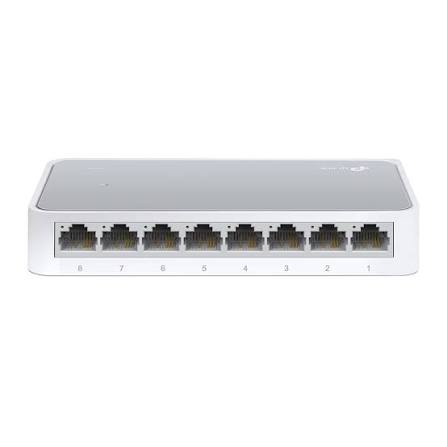
TP-Link
8-Port | Fast Ethernet | Unmanaged
In Stock
TP-Link
8-Port | Gigabit | Unmanaged
In Stock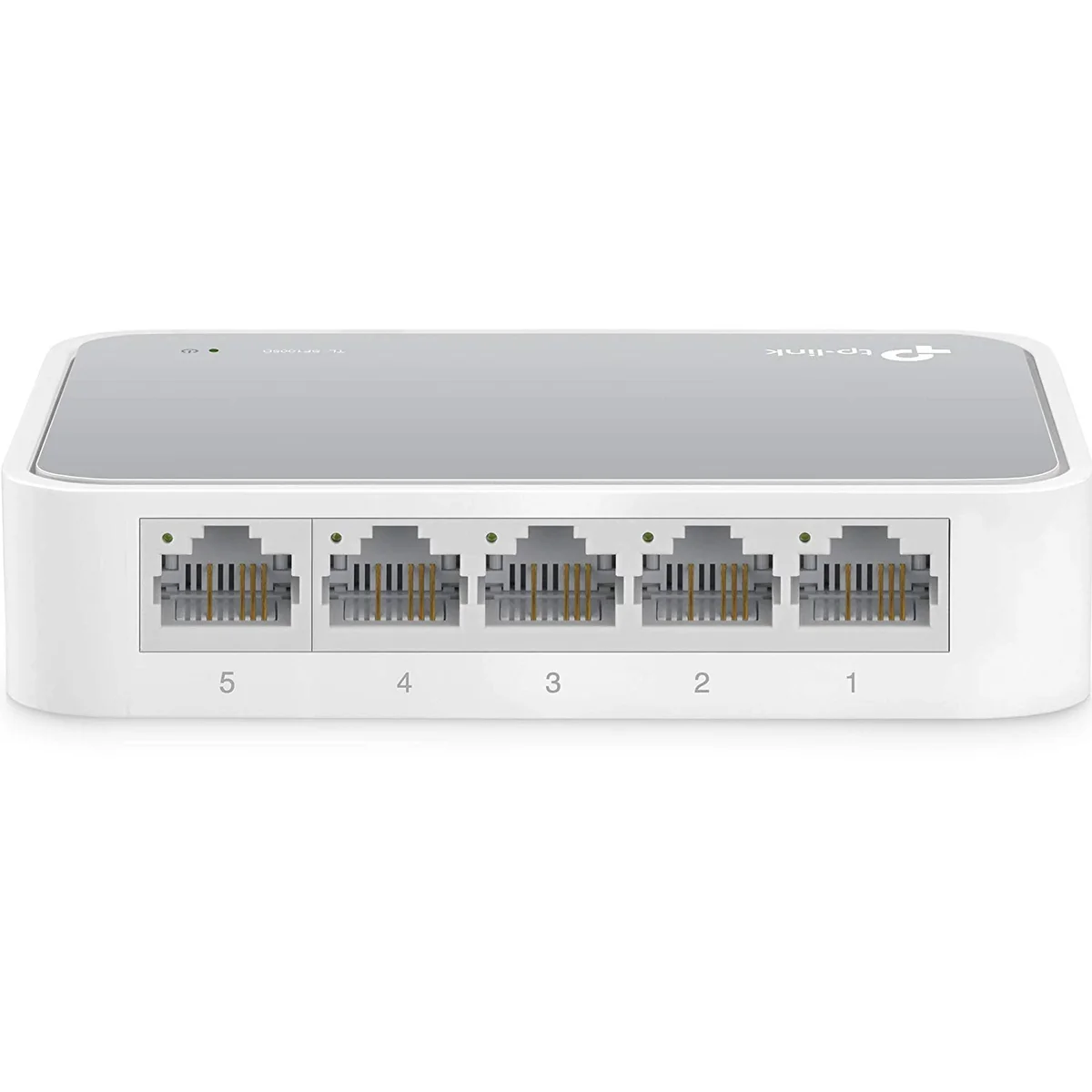
TP-Link
5-Port | Fast Ethernet | Unmanaged
In Stock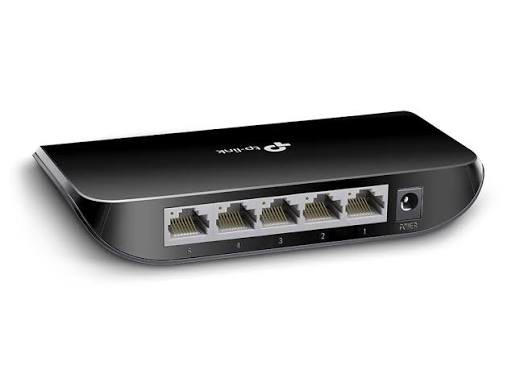
TP-Link
5-Port | Gigabit | Unmanaged
In Stock