Who is this switch best for?
- Office LAN expansion
- CCTV and IP camera networks
- WiFi access point connectivity
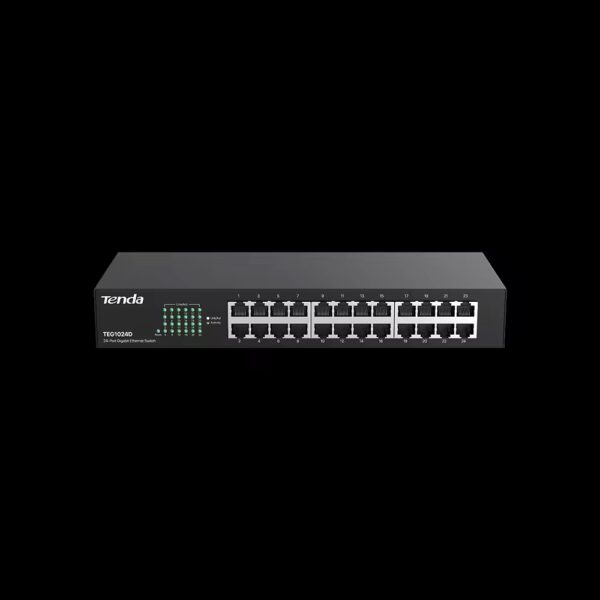
Works with standard Ethernet networking equipment including routers, computers, IP cameras, access points and servers. Confirm port, PoE and mounting requirements before purchase.
Check the product label or manufacturer datasheet for exact input voltage, power adapter and PoE requirements.
The Tenda TEG1024D is a 24-port Gigabit Ethernet switch for expanding wired networks in offices, schools, shops, workshops and other commercial premises. It connects computers, printers, network storage and separately powered equipment without requiring a management dashboard or complex configuration.
Its generous connection capacity makes it useful when several workstations need access to shared resources and the existing router has too few LAN ports. Connect it to the appropriate upstream network, then connect endpoint equipment using suitable Ethernet cables.
Request the current Tenda TEG1024D price in Kenya from Network Switch Kenya, including any required cabling, mounting accessories and installation services.
The TEG1024D is an unmanaged, non-PoE switch. It expands Ethernet connectivity but does not supply power to cameras, phones or wireless access points.
Basic switching operates without an administrator login. Addressing, internet access and application settings remain the responsibility of the router and connected equipment.
Tenda has released different hardware versions. The specifications below reference TEG1024D V9.0. Confirm the supplied version before relying on physical dimensions, power figures or accessory requirements.
Specifications follow Tenda’s V9.0 parameter information. Surge ratings do not guarantee protection against every electrical event or direct lightning strike. Tenda Global
A 24-port switch can bring several workstations and shared devices together at one location.
With one connection used upstream, 23 ports remain for directly connected equipment. This gives smaller installations room to expand without immediately adding another switch.
Count all required connections before purchasing, including printers, recorders, storage and links to other network equipment.
Gigabit Connectivity for Local ResourcesGigabit connections are useful when users transfer files, access shared storage or work with other appropriately equipped devices.
Actual throughput depends on the entire path. A slower network adapter, damaged cable, busy server or limited storage system can restrict performance.
The switch does not increase the speed supplied by an internet package.
Straightforward DeploymentUnmanaged operation suits installations where the main requirement is additional Ethernet connections.
There is no switch configuration interface to maintain, but connected devices still need suitable settings. Printers require client configuration, cameras need activation and recording setup, and access points need wireless settings.
Flexible InstallationTenda documents desktop, rack and wall placement for V9.0, allowing installers to choose an arrangement suited to the premises. Tenda Global
Use the appropriate mounting hardware and keep the unit accessible for inspection and cable maintenance.
Centralized CablingBringing connections into one equipment location can simplify labeling and troubleshooting.
A patch panel and suitable cabinet can improve organization where many permanent cable runs terminate together. Select these separately according to the installation.
Connect computers, printers and shared resources while the router provides internet gateway services.
For another unmanaged Gigabit option, compare the TP-Link TL-SG1024D at Orbitlink Solutions.
Schools and Training RoomsConnect classroom or laboratory computers to shared resources. Plan the upstream connection around the applications and number of simultaneous users.
If the project requires configurable separation between groups, select a managed platform rather than assuming an unmanaged switch supplies those controls.
Retail and Administrative PremisesBring POS equipment, computers and printers together according to the business’s network plan.
Payment and other sensitive systems should follow the requirements of the complete network and service provider.
Workshops and Commercial BuildingsProvide wired connections for appropriately specified equipment in suitable indoor conditions.
Keep networking equipment away from excessive dust, moisture and heat, and use suitable cabinets where needed.
Surveillance NetworksCarry traffic between separately powered cameras and a recorder. The switch does not provide camera power.
Recorder channel capacity, incoming bandwidth and storage must be checked independently.
These examples show physical capacity, not guaranteed application performance.
Traffic crossing the upstream connection shares that link. Local traffic between directly connected devices follows a different path from internet traffic.
For a comparable product on Network Switch Kenya, review the TP-Link TL-SG1024 Gigabit Rackmount Switch.
Read the version on the unit or packaging. Obtain the matching installation instructions and confirm the supplied accessories.
Inspect the enclosure, power connector and ports before installation.
2. Prepare a Connection PlanList every endpoint and reserve capacity for the upstream network.
Identify devices requiring separate power. Prepare tested Cat5e or Cat6 cabling for Gigabit connections and label permanent cable runs.
For ordinary copper Ethernet, plan within the standard 100-meter channel limit.
3. Mount the SwitchUse a stable desktop location or the mounting method supported by the supplied unit.
Keep ventilation clear and provide space for cable routing. Support cables so their weight does not strain the ports.
Do not assume mounting hardware for another switch will fit.
4. Connect Mains PowerConnect the correct power cable to a suitable supply. Check that the power indicator illuminates.
Where continuity matters, size a UPS for the switch, router and other equipment required to maintain service. Separately powered endpoints also need backup if they must stay operational.
5. Connect the Router or Upstream SwitchConnect a router LAN port to one Ethernet port on the Tenda.
For an ordinary office installation, retain the modem or ONT connection to the router and place the switch on the LAN side.
Start with one upstream cable. Avoid parallel connections between switches, which can create a loop.
6. Connect Endpoints GraduallyConnect computers, printers and other devices, checking link indicators as you proceed.
If a connection does not appear, confirm endpoint power, reseat the cable and test with a known-good lead.
Provide separate power to cameras, phones and access points.
7. Verify AddressingWhere the router provides DHCP, ordinary clients can obtain settings automatically.
For static-address equipment, confirm unique addresses, the correct subnet, gateway and DNS settings.
The unmanaged switch itself does not need a management IP address for normal operation.
8. Test Local ResourcesPrint a test page, access storage and transfer a representative file.
For surveillance, check recording and playback as well as live images. Testing only internet browsing may miss local configuration problems.
9. Check Connection SpeedsIf a computer reports 100Mbps instead of Gigabit, inspect the complete path.
Check endpoint capability, patch leads, wall outlets and cable terminations. Try another port and known-good cable before replacing hardware.
10. Test Simultaneous ActivityRun the applications expected during normal business use.
Several users accessing one server or internet connection may expose limits that do not appear in a single-device test.
11. Label and DocumentRecord the upstream port, endpoint connections and cable routes.
Keep the port map near the equipment or in the installation records to simplify future work.
For similar unmanaged Gigabit requirements, compare the D-Link DGS-1024D at Tawa and its separate 24-port Gigabit switch listing. Confirm the exact model on the quotation.
Reisen SEO also lists the TP-Link TL-SG1024, TP-Link TL-SG1024D and D-Link DGS-1024D. Compare hardware version, mounting accessories and warranty coverage alongside connection requirements.
If the installation needs configurable network controls, review the UniFi Standard 24 or UniFi Pro 24. These require a different management approach from the unmanaged Tenda.
Another platform to assess is the MikroTik CRS326-24G-2S+RM at MikroTik Kenya. Check its interface arrangement and configuration requirements against the project.
For powered cameras, phones or access points, compare the UniFi Standard 24 PoE and UniFi Pro 24 PoE.
Orbitlink Solutions also lists the Ubiquiti USW-24-PoE and USW-Pro-24-PoE. Compare powered-port counts, supported standards and shared budgets; a 24-port product name does not establish how many devices it can power.
Fast Ethernet equipment belongs to a different speed category. Compare it against the application rather than treating every 24-port switch as equivalent.
Relevant listings include the TP-Link TL-SF1024D at Orbitlink Solutions, TP-Link TL-SF1024 at Tawa and D-Link DES-1024D unmanaged model. Tawa also has a separate DES-1024D desktop listing.
For additional comparisons, Reisen SEO lists the D-Link DES-1024D and TP-Link TL-SF1024. Confirm exact models and supported speeds before ordering.
Confirm the quotation includes the correct mains cable, documentation and required mounting hardware.
Specify Ethernet cables, patch panels, cabinets, UPS equipment and installation services separately unless expressly included. Verify product condition and warranty coverage before purchase.
No. Connected equipment requiring power needs a suitable separate source.
Does it require configuration?No switch configuration is required for basic unmanaged operation.
How many endpoints can connect alongside a router?With one port used upstream, 23 remain for directly connected devices.
Can it create separate VLANs?It does not provide configurable managed-switch VLAN controls. Select an appropriate managed model if that is required.
Will it increase internet speed?It may remove a slower local link where that is the bottleneck. It cannot increase the speed supplied by the internet service.
Can it work without internet?Correctly configured local equipment can communicate without internet. Online services still require an upstream connection.
Contact Network Switch Kenya for a quotation on the Tenda TEG1024D 24-Port Gigabit Switch. Share your endpoint count, mounting needs and cabling requirements to confirm the supplied version and accessories.
Tenda TEG1024D 24-Port Gigabit Switch Price in Kenya is currently listed as available. Stock can change, so confirm availability before placing a large order.
The current listed price is KSh 13,500.00. Prices are generated from the product catalogue and may change when inventory is updated.
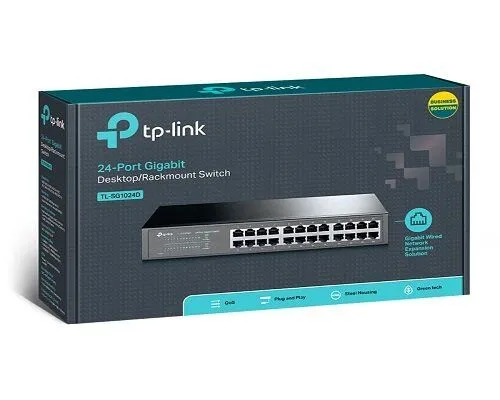
TP-Link
24-Port | Gigabit | Unmanaged
In Stock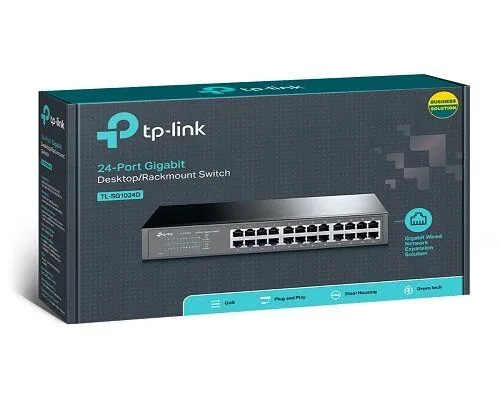
TP-Link
24-Port | Gigabit | Unmanaged
In Stock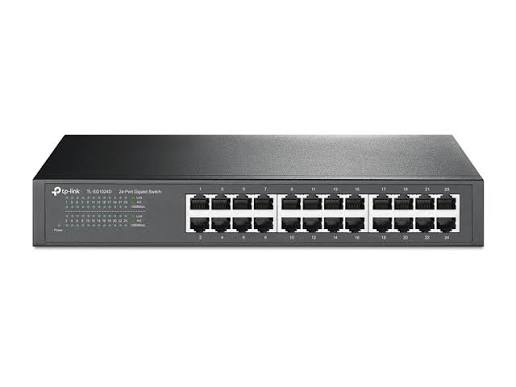
TP-Link
24-Port | Fast Ethernet | Unmanaged
In Stock
Tenda
5-Port | Fast Ethernet | Unmanaged
In Stock