Who is this switch best for?
- Office LAN expansion
- CCTV and IP camera networks
- WiFi access point connectivity
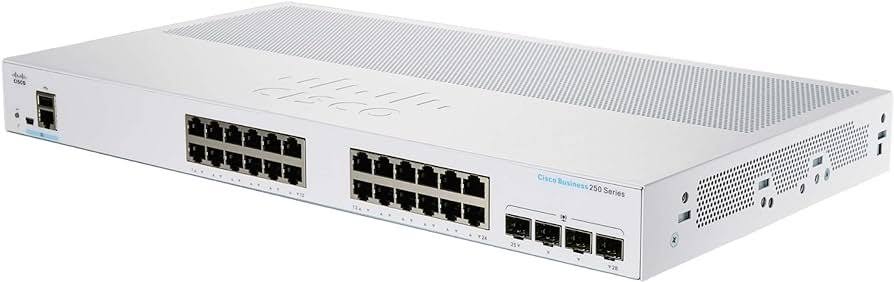
Works with standard Ethernet networking equipment including routers, computers, IP cameras, access points and servers. Confirm port, PoE and mounting requirements before purchase.
Check the product label or manufacturer datasheet for exact input voltage, power adapter and PoE requirements.
The Cisco CBS250-24P-4G combines wired connectivity, Power over Ethernet and network management for offices, schools, hospitality premises and surveillance installations. It is suitable for businesses connecting computers alongside compatible IP phones, wireless access points and cameras.
Its 24 Gigabit PoE+ ports and four dedicated Gigabit SFP uplinks provide connections for endpoints and upstream equipment. A 195W shared PoE budget powers compatible devices through their Ethernet cables, reducing the need for individual power adapters. Cisco
Request the current Cisco CBS250-24P-4G price in Kenya from Network Switch Kenya, including any required optical modules, cabling and installation services.
The CBS250-24P-4G belongs to Cisco’s Business 250 smart-switch family. It offers configurable network controls for installations that need more flexibility than an unmanaged switch.
Administrators can organize traffic, manage connected equipment and implement a planned network structure. This makes it a practical choice when office devices, phones and cameras need different connectivity or access arrangements.
Check the complete model before ordering. The 4G version has Gigabit SFP uplinks; the separately named 4X version has faster uplinks. Similarly named PoE variants also have different shared power budgets.
These specifications apply to the CBS250-24P-4G, rather than other models in the family. Cisco
PoE simplifies deployment where a nearby mains socket would be inconvenient. Compatible cameras, phones and access points can receive power and data from a central equipment location.
Compatibility depends on each device’s required power standard and maximum consumption. Equipment requiring passive PoE or higher-power delivery may need another power source.
Gigabit Connectivity for Business EquipmentGigabit connections suit local file transfers, access to shared resources and connections to appropriately specified wireless equipment.
Actual throughput depends on the devices, cable quality and upstream network. Installing the switch does not increase the speed of an internet subscription.
Separate Fiber UplinksDedicated SFP interfaces allow compatible fiber connections while preserving copper ports for endpoint equipment.
Select optical modules for both ends of the link. Check supported modules, fiber type, wavelength, connectors and distance before purchasing accessories.
Flexible Network OrganizationA managed network can separate staff devices, surveillance equipment and guest services according to the business’s requirements.
Segmentation must be planned across the switch, router and access points. Policies governing communication between groups should be tested before the installation goes live.
Quiet InstallationThe fanless design is useful where equipment is installed near working areas. It still needs adequate ventilation; passive cooling does not remove the need for suitable placement.
For businesses needing basic connections without integrated device power or managed controls, compare the TP-Link TL-SG1024 Gigabit Rackmount Switch.
The Cisco CBS250-24P-4G can be considered for:
The complete installation still needs suitable routing, security and application equipment. A switch does not replace an internet gateway or camera recorder.
The shared budget and the per-port maximum are separate limits. Having 24 powered ports does not mean that every port can deliver its individual maximum simultaneously.
Hypothetical device loadCombined demand before cable losses12 devices consuming 10W each120W8 devices consuming 20W each160W24 devices consuming 10W each240WThe final example exceeds this model’s stated budget. These figures illustrate planning rather than guaranteed supported combinations.
Use maximum device consumption, allow for cable losses and leave headroom. Cameras may require additional power when infrared illumination or other features activate.
List the connected devices, cable routes, maximum power requirements and upstream connections.
Decide whether the project needs separate networks for staff, cameras, phones or guests. Prepare tested Cat5e or Cat6 cabling and compatible optical accessories where required.
2. Install and Power the SwitchMount the switch using the specified hardware or place it according to Cisco’s installation instructions. Keep ventilation openings clear and avoid excessive heat or moisture.
Connect the correct mains cable. If backup operation is required, size a UPS for the switch, powered endpoints and other essential equipment.
3. Establish Initial Management AccessDHCP is enabled by default. If the switch receives an address from the network, find it in the router’s DHCP lease list.
Without an assigned address, Cisco documents 192.168.1.254/24 as the factory default. For an isolated direct connection, assign the computer an unused address such as 192.168.1.10, with subnet mask 255.255.255.0.
Open the switch’s address in a browser. Factory credentials are cisco for both username and password, and first login requires changing them. Use these credentials only on a factory-configured unit. Cisco
4. Set a Predictable Management AddressAssign an appropriate static management address or use a DHCP reservation.
Record the address and restrict administration to authorized users. When changing the management address or network segment, maintain a recovery path so you can reconnect.
Avoid introducing a factory-addressed switch into a network where another device already uses the same address.
5. Review FirmwareConfirm the complete model and installed software before updating. Use Cisco’s firmware and instructions intended for the supplied device.
Back up an existing configuration first and maintain stable power throughout the update.
6. Configure Network SegmentsWhere segmentation is required, create the planned VLANs and configure port membership according to the administration guide.
A typical arrangement involves:
A port serving a phone and an attached computer may need a different arrangement from a simple camera connection.
7. Connect PoE Equipment GraduallyConnect powered devices individually and confirm that they start correctly. Check power allocation before adding the complete installation load.
Configure the endpoints separately: cameras need activation and recorder setup, phones need provisioning, and access points need wireless configuration.
8. Configure Additional Controls CarefullyApply traffic priorities, access restrictions and resilience settings according to the network design.
Do not connect parallel links between switches until compatible aggregation or loop-prevention settings have been configured at both ends.
9. Save and Back Up the ConfigurationCisco directs administrators to use the interface’s Save control to retain configuration changes. Applying a setting and saving it permanently are distinct steps. Cisco
Export a backup where supported and store it securely.
10. Test the Complete SystemCheck local resources, internet access, phone calls, wireless connectivity and camera recording as applicable.
Verify that network separation works and that powered devices remain stable under their highest expected load. Label cables and document port assignments before handover.
For another managed PoE option, review the Ubiquiti USW-24-PoE at Orbitlink Solutions. Compare its powered-port count, shared budget and management requirements.
If your installation needs a different uplink or power arrangement, assess the UniFi Pro 24 PoE at Ubiquiti UniFi Kenya against the project specification.
For simpler connectivity, the D-Link DES-1024D Desktop Switch at Tawa belongs to a different speed and management category. It should not be treated as an equivalent PoE replacement.
Confirm that the quotation includes the correct mains cable, mounting kit and documentation.
Specify SFP modules, fiber leads, Ethernet cables, UPS equipment and installation services separately unless expressly included. Verify product condition, warranty eligibility and support coverage before ordering.
Yes. They are dedicated SFP interfaces alongside the 24 copper connections.
Can every port deliver maximum PoE power at once?No. The combined load must remain within the shared power budget.
Does it require a cloud account for local setup?Local configuration is available through the web interface.
Can it power devices from other manufacturers?Yes, where their PoE standards and power requirements are compatible and sufficient shared power remains available.
Does it have 10Gbps uplinks?No. The CBS250-24P-4G has Gigabit SFP uplinks.
Contact Network Switch Kenya for a quotation on the Cisco CBS250-24P-4G 24-Port Gigabit PoE+ Smart Switch. Share your device count, maximum power requirements and uplink plan to confirm the right equipment and accessories.
Cisco CBS250-24P-4G 24-Port Gigabit PoE+ Smart Switch Price in Kenya is currently listed as available. Stock can change, so confirm availability before placing a large order.
The current listed price is KSh 72,000.00. Prices are generated from the product catalogue and may change when inventory is updated.
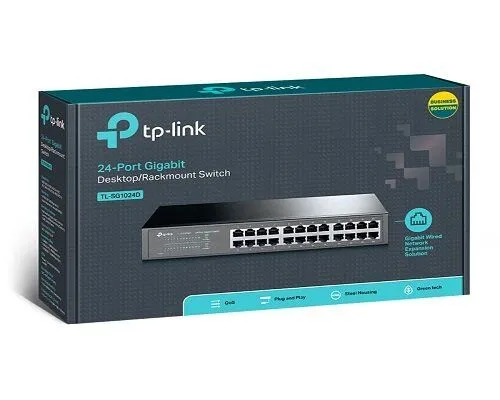
TP-Link
24-Port | Gigabit | Unmanaged
In Stock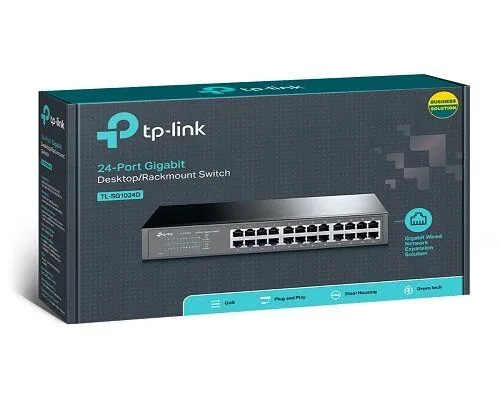
TP-Link
24-Port | Gigabit | Unmanaged
In Stock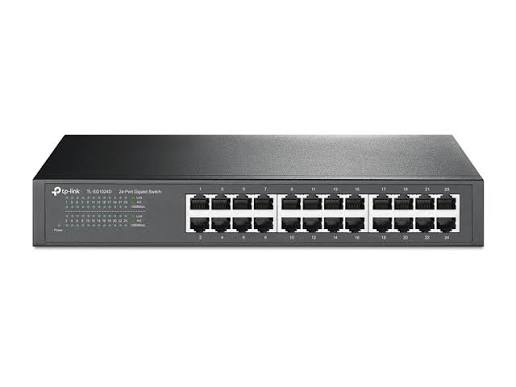
TP-Link
24-Port | Fast Ethernet | Unmanaged
In Stock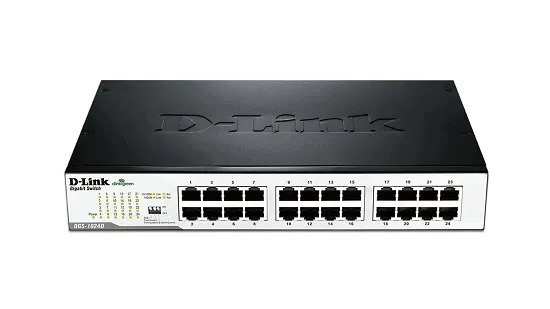
D-Link
24-Port | Fast Ethernet | Unmanaged
In Stock